


PrestaShop 1.7.4–1.7.8, 8.0–8.2, 9.0–9.2 compatible

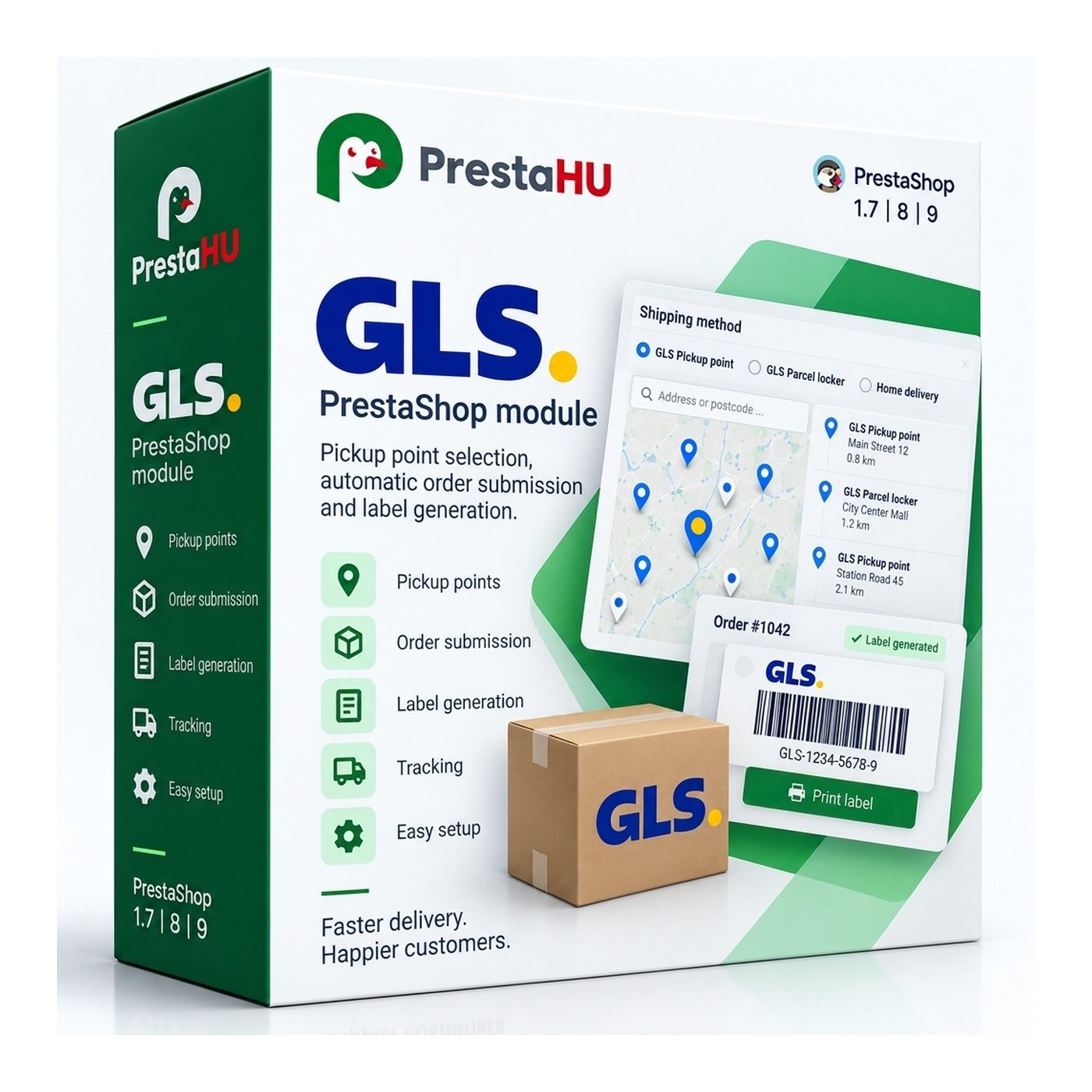
GLS integration: the customer picks a parcel point on a map, you print the label from the order.

5.0 61 Google reviews of PrestaHU

The customer selects the parcel point, and the module generates the GLS label from the order data.

€69.99

One-time fee • 12 months of updates and support

See how it looks
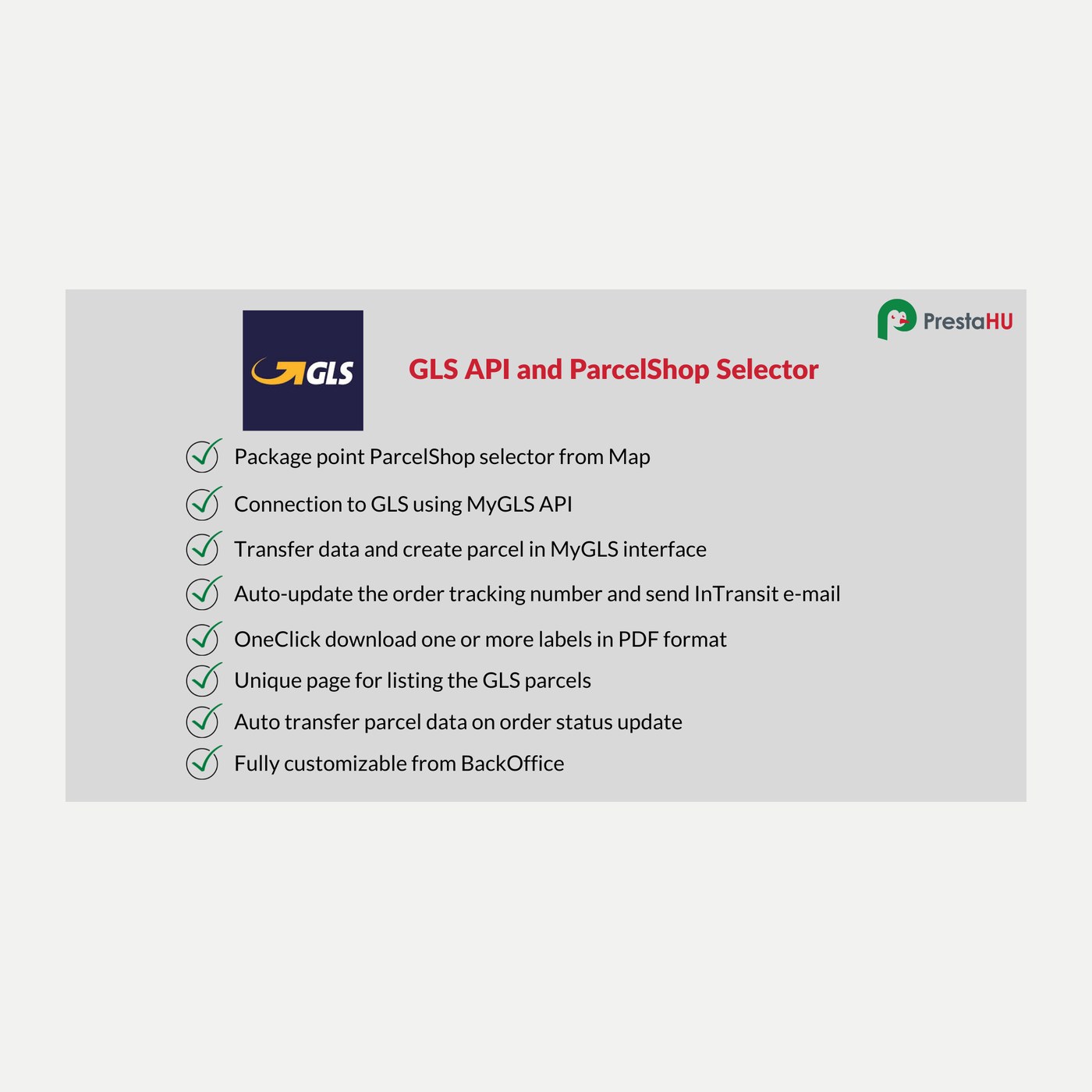
  • Map parcel-point picker
  • Label from the order
  • Support in English
GLS - API : Automated order submission and package point selector

What it does

Set it up once, then the order carries the shipping.

Map parcel-point picker

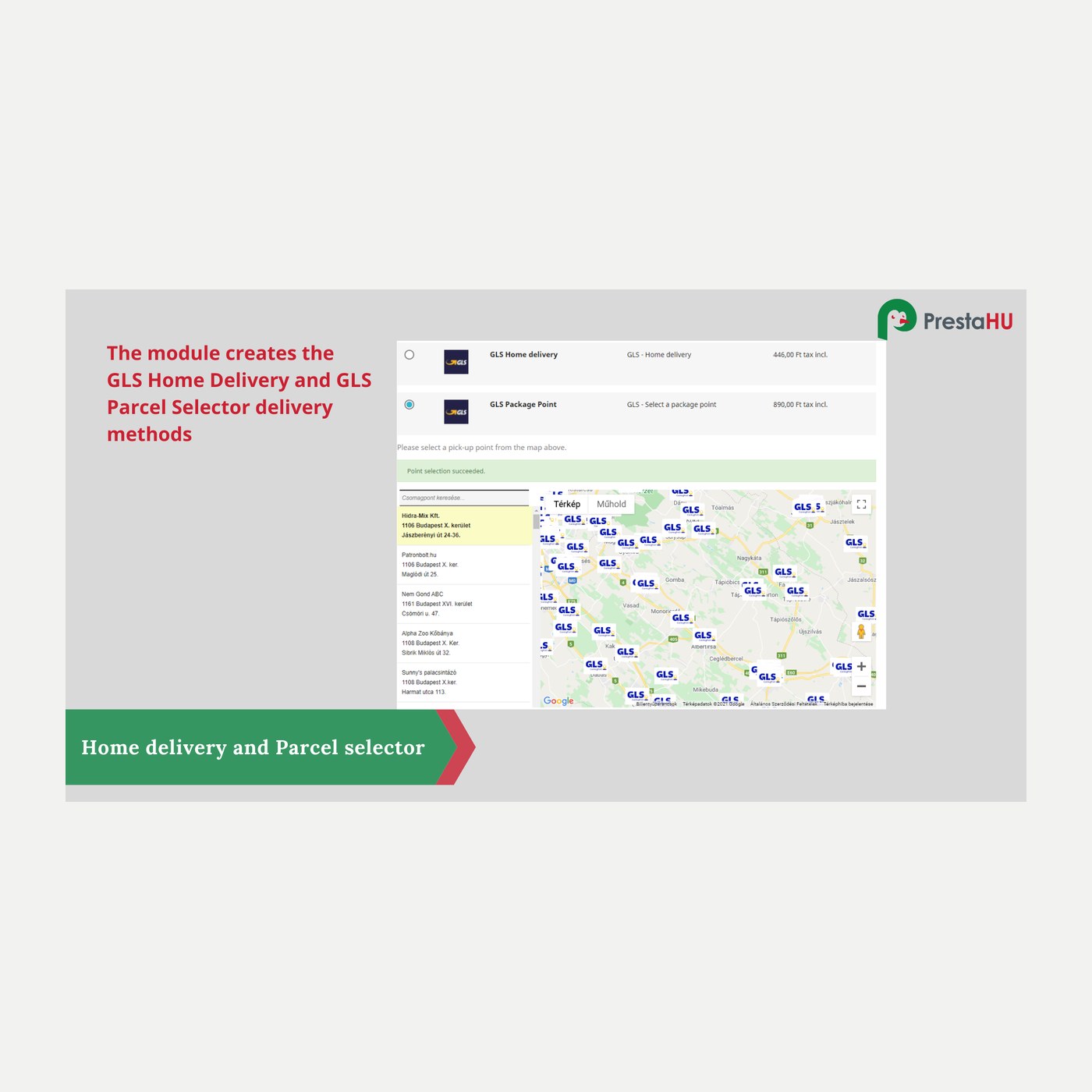
At checkout the customer picks a GLS parcel point or locker on an interactive map; the selected point is saved to the order.


Label from the order

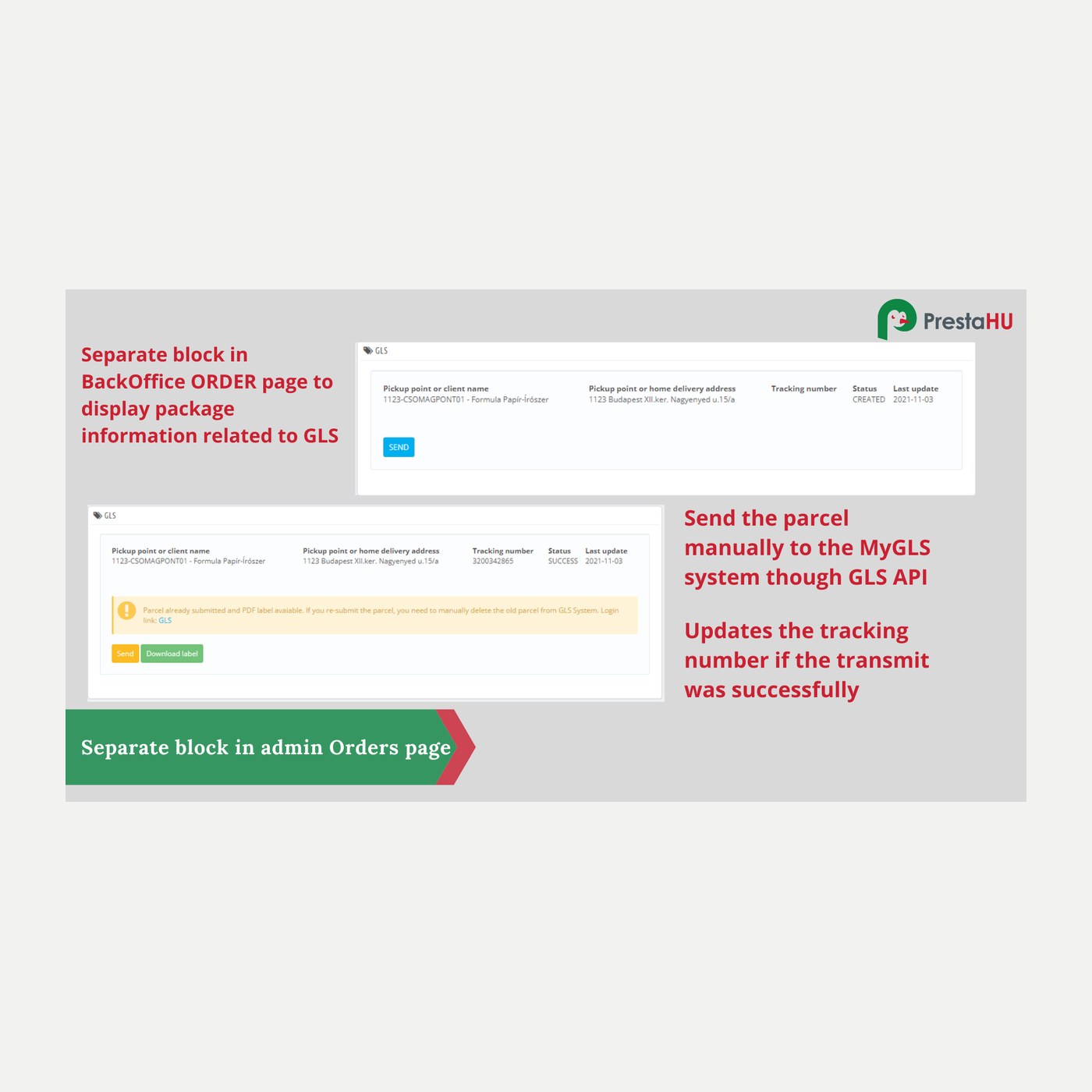
In the order admin the GLS label is created in two steps via the official API: the parcel goes to the print list, then the label is generated. The PDF can be downloaded and printed.

Parcel point, locker, home

Per PrestaShop carrier you set whether it is a parcel point, a locker or home delivery; the map filter follows that.

Cash on delivery on the label

For cash-on-delivery orders the COD amount and the payment method are carried over onto the GLS label.

E-mail with the label

When the label is created, an e-mail with the PDF attached is sent to the configured addresses.

Tracking and status

The parcel's GLS status (collected, in transit, delivered) can be followed on the order.

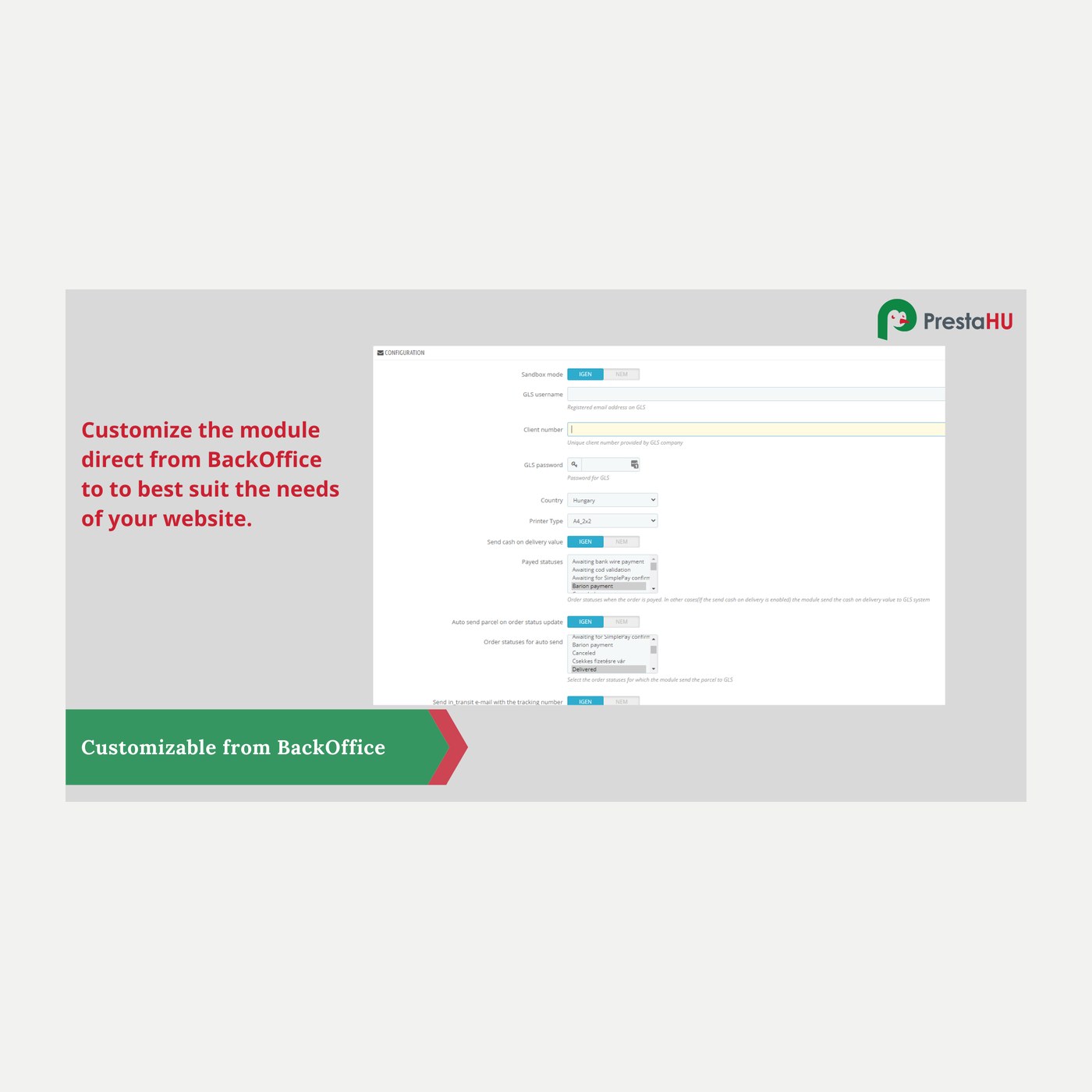
The actual interface

This is the module from the inside

Good to know

What do you need?

A GLS (MyGLS) customer account with API access: username, password and client number. You upload the module the usual way, enter the credentials, map your carriers to the delivery methods, and you are done.

  • Compatibility: PrestaShop 1.7 to 9, PHP 7.1 to 8.4.
  • Connection: The official GLS MyGLS API, with your own account credentials.
  • Delivery methods: Parcel point, locker and home delivery, configured per carrier.
  • Sandbox: Test (sandbox) and live mode; the whole flow can be tried safely before going live.
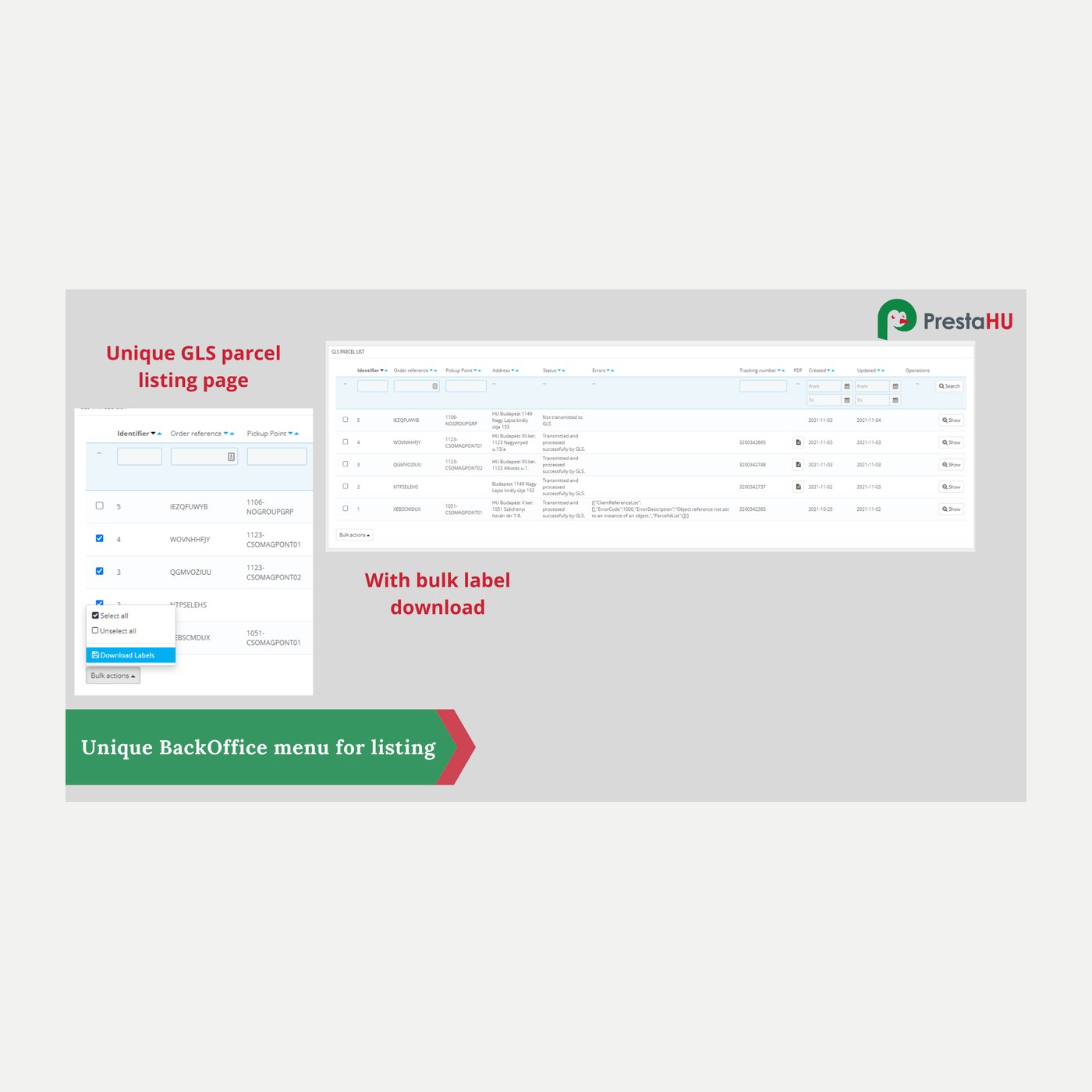
  • Printing: Label PDF (A4 or thermal-printer format), with download and bulk printing.
  • Updates: 12 months of updates and support.

Why it is good for you

What you get

  • Accurate address, fewer errorsThe customer picks a point from the map, so there is no mistyped address and the parcel goes to the right place.
  • Faster dispatchThe label is created from the order page, with no need to log in to the GLS interface separately.
  • Happier customerThe customer gets the exact parcel point or locker they chose, close to them.
  • Parcels in one placeGLS parcels, statuses and labels are available inside the PrestaShop admin, on the order.

Technical details

Compatibility and version

Compatibility
PrestaShop 1.7.4–1.7.8, 8.0–8.2, 9.0–9.2
Version
2.0.0

Versions

What changed in each version?

v2.0.02026-10-30

  • On PrestaShop 1.7 the currency selector of the settings page no longer writes a warning to the log

v1.10.02026-10-30

  • Optional sending of the parcel weight: when off, the label shows no weight
  • Bulk removal from dispatch in the Parcel dispatch list
  • Every parcel of a multi-parcel shipment gets its parcel number and label
  • The label is kept when the GLS answer is incomplete

v1.9.112026-10-28

  • Remove a shipment from dispatch and put it back
  • Bulk delete of carrier mappings
  • Working bulk actions in the GLS parcels list
  • Empty status list updates every order in transit
  • Card layout of the parcel table on the order page on mobile
  • Full GLS error text and parcel numbers in the list

v1.9.102026-10-23

  • Checkout pickup save error only on a real error

v1.9.92026-10-18

  • Internal improvements

v1.9.82026-10-13

  • Refreshed admin look
  • Singular message when one item is saved
  • Count wording in Romanian, Czech, Slovak and Polish
  • Correct quotation marks in the English admin
  • Updated user guide

v1.9.72026-10-11

  • Screen tabs below the admin header
  • Parcel numbers on order details with the Hummingbird theme
  • Bulk delete fixed in the shipping modes list
  • Translated admin on PrestaShop 1.7.4–1.7.5
  • Romanian user guide

v1.9.62026-10-10

  • Internal improvements

v1.9.52026-10-07

  • Help panel keeps its open or closed state
  • Zero values saved correctly
  • No duplicate menu entry when several admins work at once

v1.9.42026-10-06

  • One result in the Connection window
  • Parcel weight 0.001–40 kg everywhere
  • Per-carrier parcel weight up to 40 kg, decimal comma accepted

v1.9.32026-10-06

  • One-click submit and label from the order header
  • Label printer and start position before submitting
  • Selected shipments submitted and printed in one step
  • Correct collation on shops upgraded on MySQL 8
  • Sender data up to the length GLS accepts
  • E-mail with an accented domain sent in punycode

v1.9.22026-09-24

  • Parcel split change recalculates the parcels at once
  • Count labels correct in every language

v1.9.12026-09-24

  • Revised admin labels and Settings page
  • Full text in the carrier binding selects
  • Creation time on older installs

v1.9.02026-09-24

  • Map in the customer's country and language
  • Translated into 10 languages
  • Multi-parcel shipments with per-parcel tracking
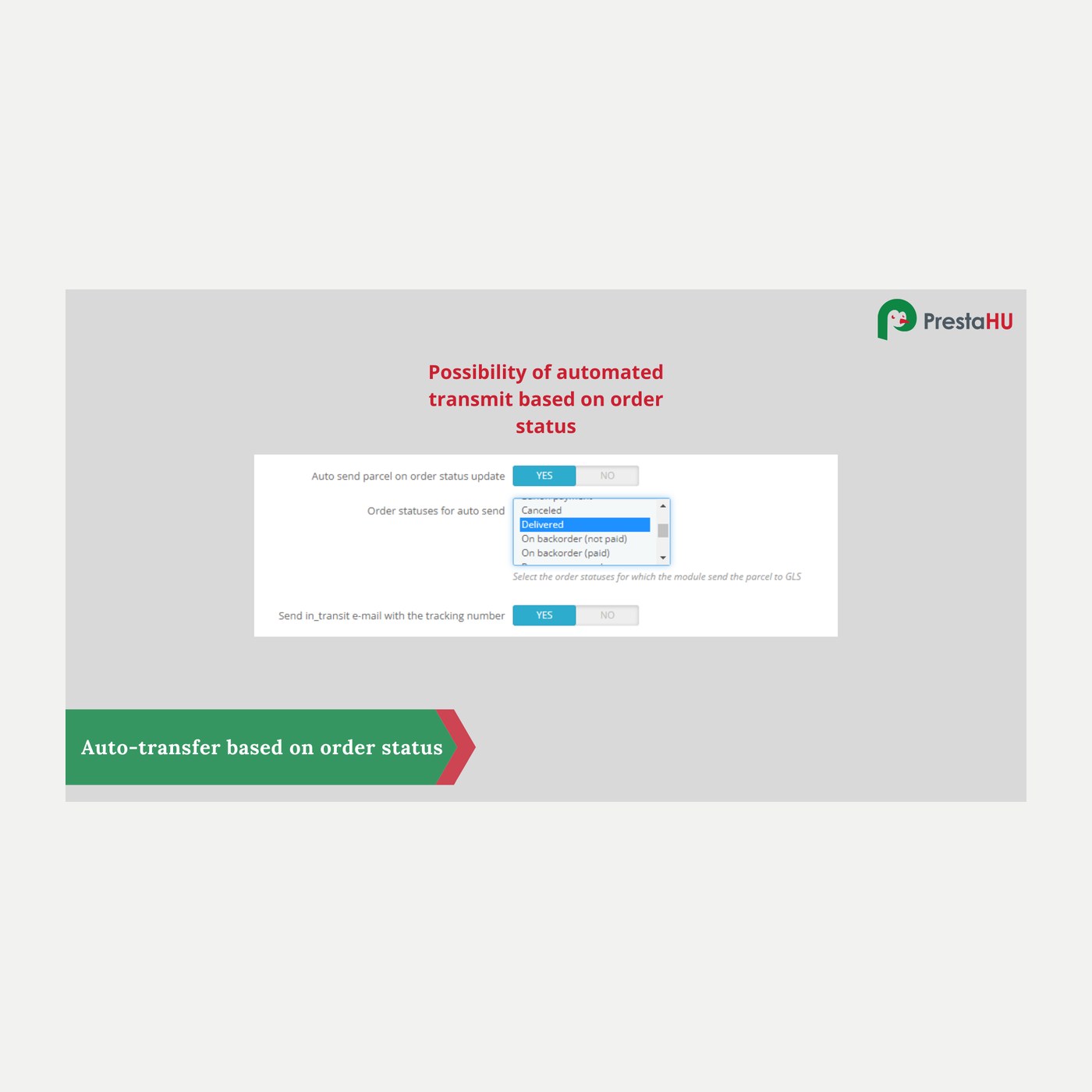
  • Scheduled sending, labelling and status updates
  • Settings and GLS account per webshop in a multistore
  • Correct carrier pricing, no duplicate shipments

v1.8.342026-09-23

  • Settings and Shipping modes tabs on PS 1.7

v1.8.332026-09-03

  • Selectable A4 print position

v1.8.322026-09-03

  • ShipIT thermo (100 x 150) label type

v1.8.302026-08-27

  • PrestaShop 9 compatibility
  • Fix for loading the settings

v1.8.202026-04-14

  • Improved map parcel-point picker
  • More stable label generation
  • Translation refinements

v1.8.02026-02-14

  • Parcel locker selection support
  • Cash on delivery on the label
  • Bulk label printing

v1.7.02025-11-10

  • GLS MyGLS API integration
  • Parcel-point picker at checkout
  • Label printing from the order

PrestaHU reviews on Google

Google 5.0 61 Google reviews All reviews on Google
  • tomica blagojević 10 months ago

    I bought a PrestaShop module from PrestaHU and I’m very satisfied. The module works perfectly, and the owner Levente quickly resolved all my questions with great support. Highly recommended!

  • Ivonig Corfmat 2 years ago

    Levente/presta.hu has been very helpful and quick to reply to any question or issue we may have had in order to install and configure the plugins.

    We got 2 plugins from presta.hu and both are doing their tasks just fine.

  • Marcos Ametller 1 year ago

    The module with SimplePay worked and was a lower price than the recommended by OTP. And the service from Levente has been spotless. I recommend

  • András Bajomi 2 years ago

    Levente is a real Prestashop guru, with all the skills & knowledge to solve our PS issues quickly and efficiently.

  • Wiki W 3 years ago

    Great modules for Prestashop and excellent support from Levi!
    All recommendations for this developer!

Frequently asked questions

What people ask before buying

Which GLS services are supported?
Parcel point, parcel locker and home delivery. Labels and tracking are handled through the official GLS MyGLS API.
Do I need a GLS contract?
Yes, a GLS customer account and its MyGLS API access (username, password, client number) are required.
Which PrestaShop versions does it run on?
PrestaShop 1.7 to 9, PHP 7.1 to 8.4. It also works with multistore installations.
How does the customer pick a parcel point?
At checkout, on the delivery step, an interactive map with the GLS points appears; the customer searches and selects one, which is saved to the order.
Can I try it before going live?
Yes. The module has a test (sandbox) mode, so the whole flow can be tried without creating a live label.
Does it work with cash on delivery?
Yes. For cash on delivery the COD amount and the payment method are carried onto the GLS label.
On how many shops can I use one licence?
The licence covers the domain given at purchase. An additional shop needs an additional licence; write to us and we will sort it out.

Help

Here is help if you get stuck

All modules

Take a look at our other PrestaShop modules.

Built to work together

Our modules are designed to run side by side in the same shop.

Frequent updates

Fixes and improvements arrive continuously, in frequent new versions.

Live support

Direct help during installation and setup.
100%

Scroll or double-click: zoom · Drag: move · ESC: close

GLS - API : Automated order submission and package point selector €69.99
My modules