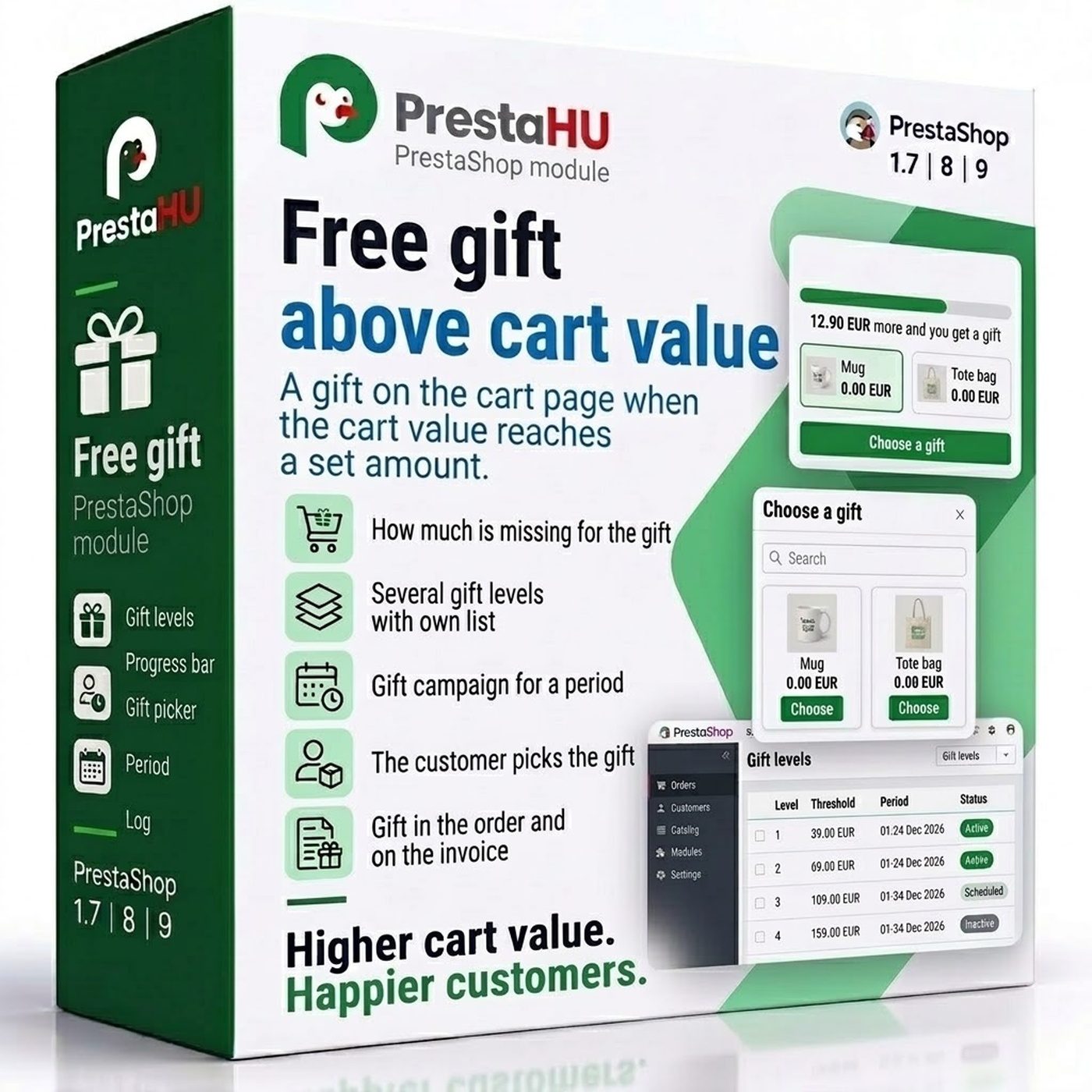

How much is missing for the gift
On the cart page a progress bar and one sentence show how much is still missing for the gift. The gifts can be viewed beforehand.


Tell us what you want to achieve and we will tell you the best way and the cost.
Contact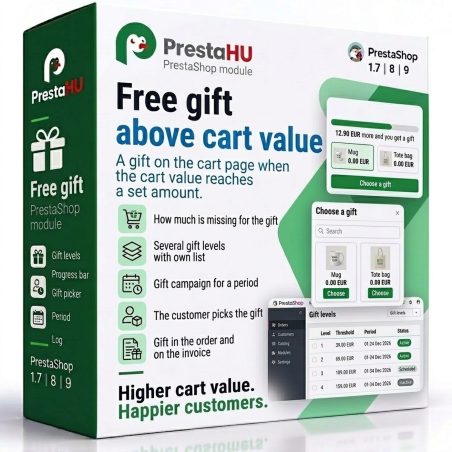
The module gives a free gift when the value of the products in the cart reaches a set amount. On the cart page the customer sees how much is still missing for the gift, and once it is reached, picks one of the gifts on offer. Several gift levels can be set, each with its own amount, period and gift list, so a bigger cart earns a better gift. The gift goes into the order at zero price and shows in the order confirmation and on the invoice.

I bought a PrestaShop module from PrestaHU and I’m very satisfied. The module works perfectly, and the owner Levente quickly resolved all my questions with great support. Highly recommended!

Levente/presta.hu has been very helpful and quick to reply to any question or issue we may have had in order to install and configure the plugins.
We got 2 plugins from presta.hu and both are doing their tasks just fine.

The module with SimplePay worked and was a lower price than the recommended by OTP. And the service from Levente has been spotless. I recommend

Levente is a real Prestashop guru, with all the skills & knowledge to solve our PS issues quickly and efficiently.

Great modules for Prestashop and excellent support from Levi!
All recommendations for this developer!
On the cart page a progress bar and one sentence show how much is still missing for the gift. The gifts can be viewed beforehand.
Each level has its own amount and gift list. The customer chooses from the gifts of the highest level reached.
A first and a last day can be set for a level, so a weekend or holiday gift offer starts and ends on its own.
In the window the customer searches and picks from the gifts of the level, for a product with combinations a given combination too. The gift can be changed later.
The gift goes into the cart as a product and a discount line sets its price to zero. It shows in the order, the confirmation e-mail and on the invoice, and stock goes down.
Own levels per webshop. A cart in another currency is compared after conversion at the exchange rate of the webshop.
No. Upload the module the usual way, add a gift level and add the gift products. By default the gift box shows on the cart page under the products, and the chosen gift in the checkout summary.
Browse our other PrestaShop modules.
Our modules are designed to run side by side in the same shop.
Fixes and improvements arrive continuously, in frequent new versions.
Direct help during install and configuration.