


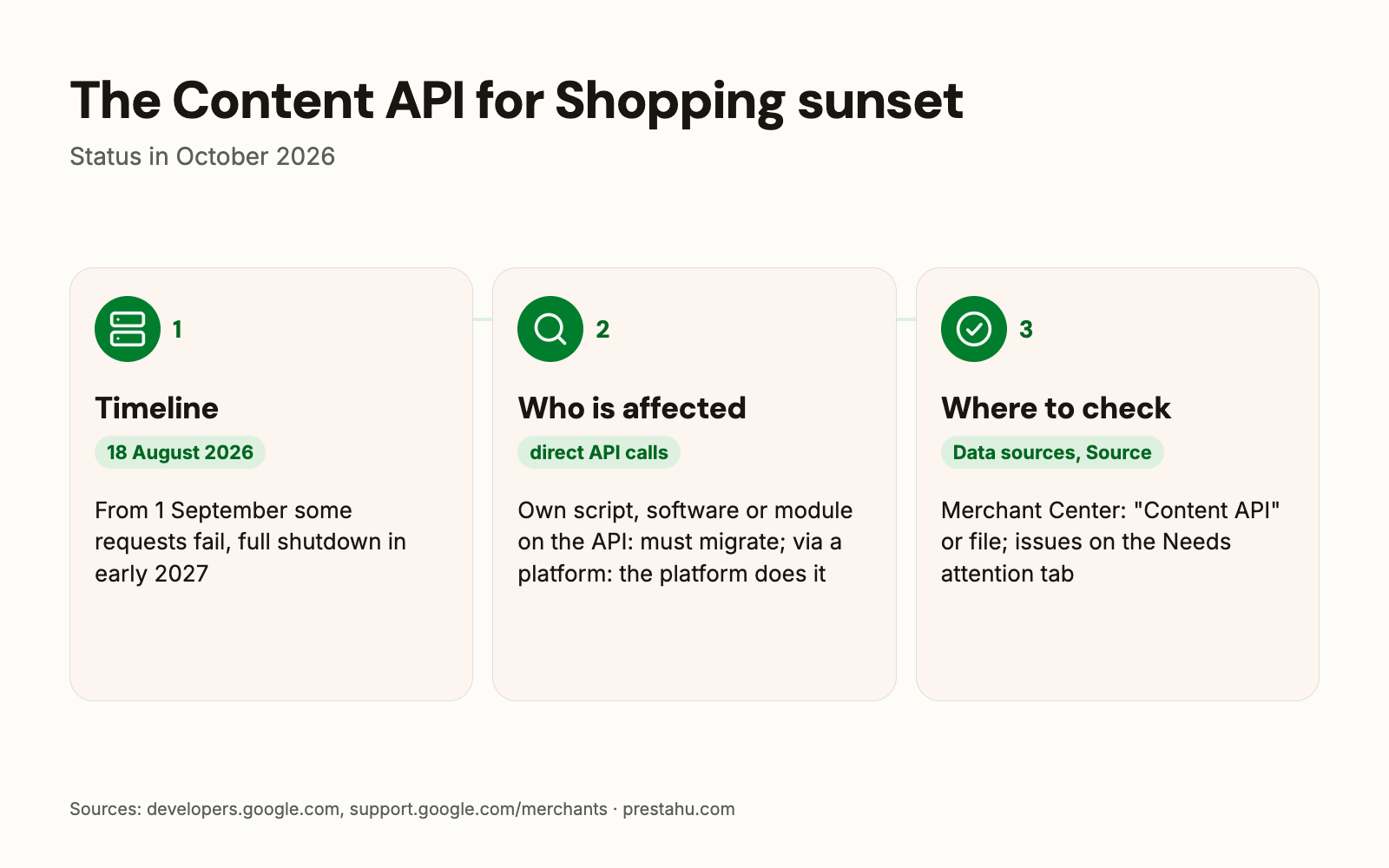
On 18 August 2026 Google sunset the Content API for Shopping, the old programming interface many webshop tools used to send products to Google Merchant Center. Since 1 September 2026 some of the requests sent through it fail from time to time, and in early 2027 all of them will stop. Its successor is the Merchant API.
This article sums up what has changed, who is affected and who is not, how to check in Merchant Center how the products get there, and what else changed in product data in 2026.
Not a technical person?In plain English: do I need to do anything now?
Products can reach Google in two ways: in a file that Google downloads from the shop's address every day, or sent directly by a program. This change affects the second way: Google is switching off the old way of sending.
According to Google, if an ecommerce platform handles the connection, there is nothing to do: the platform takes care of the switch. If a module or a custom program sends the products the old way, that module or program has to switch.
Merchant Center shows which way the shop uses. If it is not clear, the question below can be sent as it is to the module developer or the developer looking after the shop.
Question for the developer
How do the shop's products get into Google Merchant Center: as a file that Google downloads, or through the Content API for Shopping? If through the API, has the module or program already moved to the Merchant API, so that product updates do not stop in early 2027?
What happened to the Content API for Shopping?
In July 2025 Google made the Merchant API, the official successor of the Content API for Shopping, generally available, and announced that the old interface would be retired. It is not switched off on one day but step by step:
| Date | What happens |
|---|---|
| July 2025 | Merchant API generally available |
| 18 August 2026 | Content API for Shopping sunset |
| 1 September 2026 | some requests fail from time to time (HTTP 410) |
| Early 2027 | full shutdown, all requests fail |
According to Google, a failed request may still succeed when retried, but failures will become more frequent until all requests fail at the final shutdown. An extension can be requested, but it does not go past the shutdown in early 2027. Google has not given an exact date for the shutdown and says the timing may still change.
Who is affected?
Google separates two cases:
- Own or custom integration: if internal tools, scripts or software call the Content API for Shopping directly, they have to be updated to the Merchant API.
- Through an ecommerce platform: if the shop reaches Merchant Center through an ecommerce platform, Google says the platform partner handles the migration and the shop has nothing to do.
The Merchant Center help lists the upload methods separately: file, Google Sheets, adding products one by one, and API. According to the help, the Merchant API complements file uploads and autofeeds. With a file feed, Merchant Center downloads the file from the given address every 24 hours by default (.xml, .txt or .tsv, up to 4 GB).
What is different in the Merchant API?
A shop owner sees no difference in the Merchant Center interface; the change is on the side of the programs. According to Google:
- the Merchant API is split into smaller, versioned parts (sub-APIs);
- a data source has to be created first, which the Content API did automatically on the first product upload;
- data sources created with the Content API remain usable with the Merchant API;
- with few exceptions, new features only come to the Merchant API.
Google does not guarantee full backwards compatibility, so an integration should not only be switched over but also tested.
How can you see how the products get into Merchant Center?
In Merchant Center, under Settings → Data sources, the "Source" column shows the upload method of each data source. A data source created with the Content API shows "Content API" as its source. If the list shows a file or Google Sheets, the products come from a file.
Clicking the name of a data source opens the "Latest update" tab: it shows when Google last downloaded the file and the file's issues with line numbers, in a downloadable report. The schedule can be changed on the "Data source setup" tab.
What else changed in Merchant Center in 2026?
- Image size: the minimum resolution of product images goes up to 500×500 pixels. Google has warned about smaller images since 14 April 2026 and will enforce the rule from 31 January 2027.
- New attributes: the 14 April specification update added new shipping data (daily order cutoff time, minimum order value) and an optional product video link (
video_link). - In-store pickup: from 30 September 2026, in the EEA, the UK and Switzerland, products enabled for in-store pickup need the pickup cost (
pickup_cost) and the minimum order value if the shop charges them. - Name: in July 2026 "Merchant Center Next" became simply Merchant Center again; the account and product data are not affected.
How can you check that the feed is fine?
Product issues are on the Products → Needs attention tab and can be downloaded as a CSV. A product can have five statuses; the two to watch:
- Limited: the product shows, but not everywhere, for example not in some countries or for some marketing methods.
- Not approved: the product does not show; the reason is a policy violation or missing or wrong product data.
A product with a warning still shows, but without a fix it can later be disapproved. If price or availability differ between the feed and the product page, Google can disapprove the product preemptively.
According to Google, a successful API response does not mean the product is approved, only that Merchant Center accepted the data for processing. The status has to be checked in Merchant Center.
How does this work with PrestaShop modules?
PrestaShop's own Google module (PrestaShop Marketing with Google) connects to Google through a PrestaShop backend service. Its changelog has not mentioned the migration since October 2025; according to Google, for shops connected through a platform the migration is the platform's job.
With a module from another vendor or a custom integration, the question above is worth sending to the module developer.
The PrestaHU Product feed module builds files that the platform downloads regularly from the shop's address:
- eight feeds in one place: Google Merchant Center, Google local inventory, Meta (Facebook, Instagram), Olcsóbbat.hu, Árukereső.hu and Compari.ro, Árgép.hu, TikTok and Pinterest;
- every feed in its own language and currency, in a separate file per shop;
- the shipping fee comes from the shop's carriers, with a free shipping threshold;
- Google product categories can be assigned to the shop's categories with a search, in bulk too;
- batch generation for large catalogs, daily scheduled update, a log of products left out with the reason.
What should you do now?
- Check the data source: Merchant Center → Settings → Data sources, "Source" column. If it says "Content API", ask the developer of the module or program about the migration.
- Check the latest download: for a file feed, on the "Latest update" tab, whether Google downloads the file successfully every day.
- Go through the "Needs attention" tab: disapproved and limited products, mismatched price or availability.
- Images: by 31 January 2027, replace product images smaller than 500×500 pixels; the "Needs attention" history marks them with the warning "Image too small for upcoming enforcement".
- In-store pickup: if the shop charges for it, add the cost to the feed.
Product feed for PrestaShop
Feeds for Google Merchant Center, Meta, TikTok, Pinterest and price comparison sites, in their own language and currency, updated daily.
Frequently asked questions
Has Google Shopping stopped with the Content API sunset?
It does not stop on one day. Since 1 September 2026 some requests sent through the Content API fail from time to time, and in early 2027 all of them will stop. Integrations moved to the Merchant API are not affected.
How do I know if my shop uses the Content API?
In Merchant Center, the "Source" column under Settings → Data sources shows it; a data source created with the Content API shows "Content API" as its source.
What should I do if I connect through an ecommerce platform?
According to Google, the platform partner handles the migration and the shop has nothing to do.
When will the Content API stop for good?
According to Google, in early 2027; it has not given an exact date and says the timing may still change.
What does the "Limited" status mean in Merchant Center?
The product shows, but not everywhere, for example not in some countries or for some marketing methods. The "Needs attention" tab shows the reason.
Sources: Google: Content API sunset, Google: Merchant API latest updates, Google: migrate to the Merchant API, Google: migrate data sources, Merchant Center Help: API, Merchant Center Help: uploading products, Merchant Center Help: data sources, Merchant Center Help: issues, Merchant Center Help: product status, Specification update 2026, Pickup cost, Merchant Center Next renamed, PrestaShop Marketing with Google releases


Comments
No comments yet.