PrestaShop 1.7.4–1.7.8, 8.0–8.2, 9.0–9.2 compatible

Meta Pixel and Instagram with one sign-in

5.0 63 Google reviews of PrestaHU

Meta-verified app

PrestaHU is a Meta Tech Provider partner

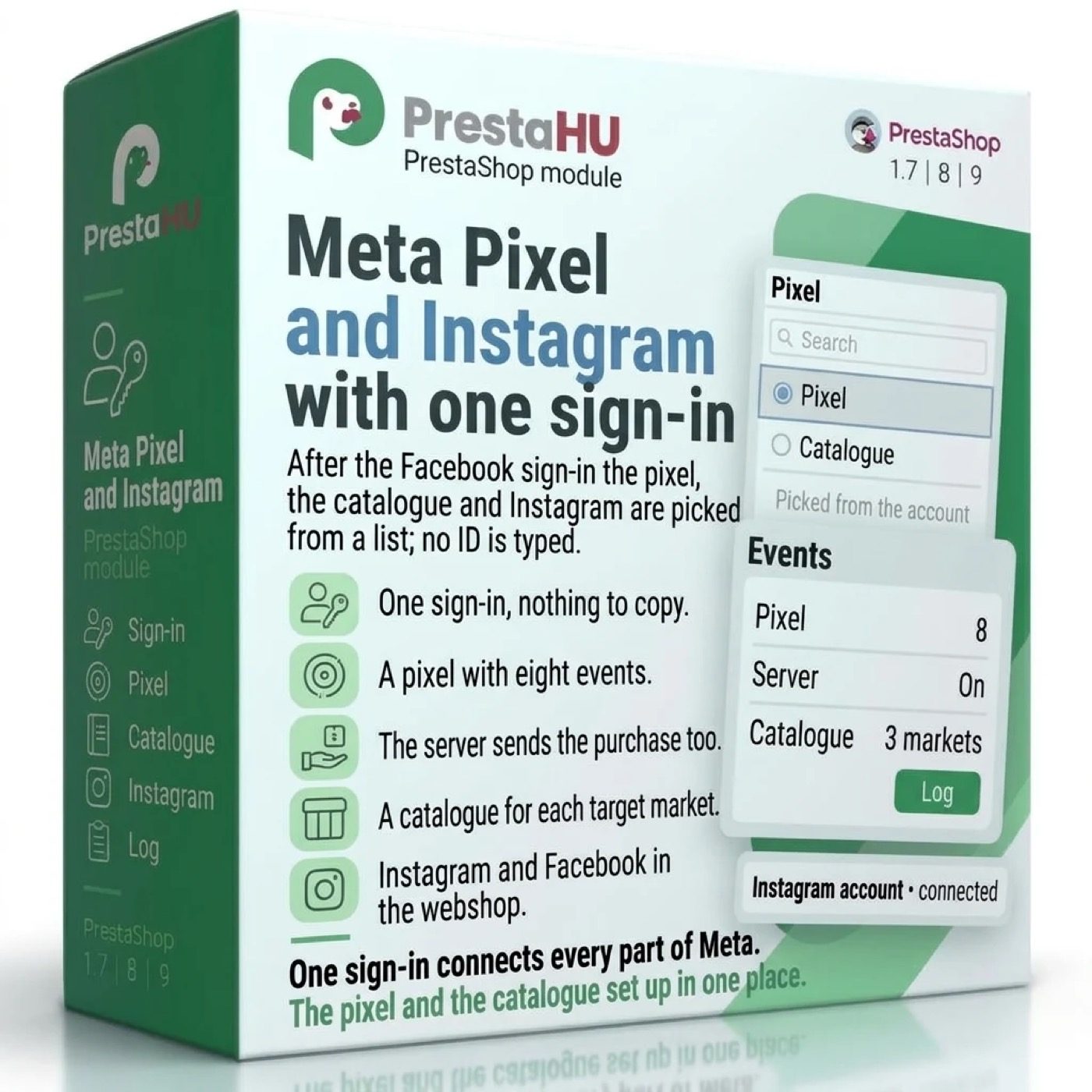
After the Facebook sign-in the pixel, the catalogue and Instagram are picked from a list; no ID is typed.

Access approved by Meta. PrestaHU (Korelvision) is a Meta-verified Tech Provider.

One-click Facebook sign-in: no pixel, catalogue or account ID and no access key to copy.

€49.99excl. VAT

Price excluding VAT. Buyers in the EU pay 21% VAT on top, except businesses outside Romania with a VAT number valid in VIES.

One-time fee • 12 months of updates and support

See how it looks
  • One-click sign-in
  • Purchases from the server too
  • Help with setup
One Facebook sign-in sets up the Meta Pixel and the product catalog without copying any code.
Meta Pixel and Instagram module for PrestaShop | PrestaHU

What it does

One sign-in connects every part of Meta.

One sign-in, nothing to copy

You sign in with Facebook once. The module lists the ad accounts, pixels and product catalogues of the Meta business portfolio, and you choose one or create a new one. No pixel ID, catalogue ID or access key has to be copied, and the module finds the Instagram account linked to the Facebook page.

A pixel with eight events

Page view, product view, add to cart, start of checkout, payment details, purchase, search and sign-up: every event can be switched off. The pixel loads in a denied state and counts only after marketing cookies are accepted.

Purchases from the server too

Purchases and refunds also go to Meta from the webshop server (this is the Conversions API), so purchases the browser missed still count. The browser and the server carry the same event ID, so Meta counts a purchase once. The buyer's data is hashed, and not sent without marketing cookies.

A catalogue for each target market

The catalogue is built for each target market with its own country, language and currency, shipping cost included. When a product, combination, image, price or stock changes, the feed is marked for a rebuild, and Meta downloads it every night.

Status of every product

On the product edit page you see whether Meta approved the product, rejected it or is still reviewing it, with Meta's own error message. A switch leaves a product out of the catalogue.

Instagram and Facebook in the webshop

The latest Instagram posts and the posts of your Facebook page appear in the look of the webshop, in a grid or a carousel, on the start page, above the footer, under the product and at other places. The carousel can be paused, and a ready code can be copied into the theme.

The actual interface

This is the module from the inside

Good to know

What do you need?

The Facebook account that manages the Meta business portfolio of the webshop; the module does not create a portfolio. After the sign-in, the pixel, the catalogue and Instagram are each set up on a card of the module panel.

  • Compatibility: PrestaShop 1.7.4 to 9
  • Installation: ZIP upload in the Module Manager
  • Interface languages: Hungarian, English, Romanian
  • Several webshops: the connection and the settings are separate for each webshop
  • Scheduled task: the data refresh address once a day, in the hosting control panel
  • Server events: the Conversions API needs another address every 15 minutes

Why it is good for you

Less copying, more accurate measuring

  • Nothing to copyThe module takes the IDs and the access key from Meta, so there is nothing to mistype.
  • Fuller measuringPurchases arrive from the server too, even the ones the browser missed.
  • A catalogue in orderYou see for every product what Meta approved and what it rejected.
  • Content in the webshopYour followers see your Instagram and Facebook posts in the webshop too.

Technical details

Compatibility and version

Compatibility
PrestaShop 1.7.4–1.7.8, 8.0–8.2, 9.0–9.2
Version
1.0.1

Versions

What changed in each version?

v1.0.12026-11-17

  • The automatic update also runs when the Google & Meta page is opened, not only on the Modules page
  • The automatic update no longer stops with a “local changes” notice when nobody changed the files of the module

v1.0.02026-11-16

  • Sign in with Facebook with one click, nothing to copy
  • Eight tracked events, each switchable on its own; tracking starts after marketing cookies are accepted
  • Purchases and refunds are also sent to Meta from the shop server, without double counting
  • A separate catalogue per target market, with its own country, language and currency
  • Meta status with its error message on the product edit page; a product can be left out of the catalogue
  • Instagram and Facebook posts shown on the shop in a grid or carousel
  • Module update straight from the back office, with an automatic update option

PrestaHU reviews on Google

Google 5.0 63 Google reviews All reviews on Google
  • tomica blagojević 11 months ago

    I bought a PrestaShop module from PrestaHU and I’m very satisfied. The module works perfectly, and the owner Levente quickly resolved all my questions with great support. Highly recommended!

  • Ivonig Corfmat 2 years ago

    Levente/presta.hu has been very helpful and quick to reply to any question or issue we may have had in order to install and configure the plugins.

    We got 2 plugins from presta.hu and both are doing their tasks just fine.

  • Marcos Ametller 1 year ago

    The module with SimplePay worked and was a lower price than the recommended by OTP. And the service from Levente has been spotless. I recommend

  • András Bajomi 2 years ago

    Levente is a real Prestashop guru, with all the skills & knowledge to solve our PS issues quickly and efficiently.

  • Wiki W 3 years ago

    Great modules for Prestashop and excellent support from Levi!
    All recommendations for this developer!

Frequently asked questions

What people ask before buying

Do I have to copy a pixel, catalogue or account ID?
No. After one Facebook sign-in you choose the ad account, the pixel and the catalogue from a list, or create new ones. The access key used for sending from the server comes from the sign-in; an own key is optional.
Which Facebook account do I sign in with?
The one that manages the Meta business portfolio of the webshop. The module does not create a portfolio. The sign-in works on the address of the webshop itself, and the module tells you when the back office is open on another address.
When does the pixel start, and what does it send?
The pixel loads in a denied state and counts only after marketing cookies are accepted. It can send eight events: page view, product view, add to cart, start of checkout, payment details, purchase, search and sign-up. Each can be switched off.
What does it mean that purchases also go from the server, and does Meta count them twice?
Purchases and refunds also go to Meta from the webshop server. A purchase goes after 5 minutes at the earliest, so the browser event arrives first. The browser and the server carry the same event ID, so Meta counts a purchase once. Without marketing cookies the buyer's data is not sent.
What happens if the theme or another module also sends a pixel?
The module warns when the same pixel is already sent by another module or the theme, because events would be counted twice. One of the two has to be switched off.
How do products get into the catalogue, and when are they refreshed?
The catalogue is built from feeds, for each target market with its own country, language and currency. A feed is marked for a rebuild when a product, combination, image, price or stock changes, and Meta downloads it every night at 3 a.m. in the time zone of the webshop. A product without a price or an image is left out.
Where do the Instagram and Facebook posts appear?
On the start page, above the footer, under the product and the category, in the cart and at other places, or at any point with the code copied into the theme. 1 to 24 Instagram posts and 1 to 12 Facebook posts are shown. The pictures are served by Meta.
Do I have to set up anything at the hosting?
Yes, one scheduled task: the address of the daily data refresh once a day, and the address of the server events every 15 minutes, in the hosting control panel. The addresses can be copied in one click on the module panel.

Help

Where to get help

All modules

Browse our other PrestaShop modules.

Built to work together

Our modules are designed to run side by side in the same shop.

Frequent updates

Fixes and improvements arrive continuously, in frequent new versions.

Live support

Direct help during install and configuration.

100%

Scroll or double-click: zoom · Drag: move · ESC: close

Meta Pixel and Instagram €49.99excl. VAT
My modules