PrestaShop 1.7.4–1.7.8, 8.0–8.2, 9.0–9.2 compatible

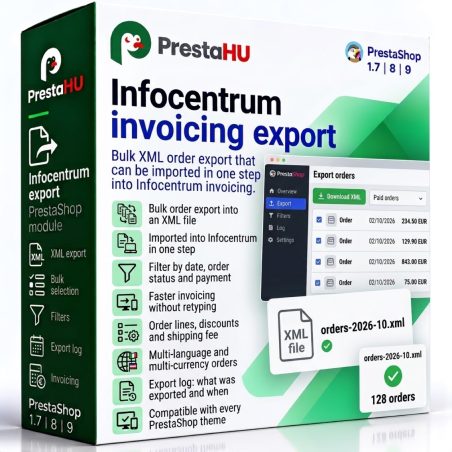
Infocentrum export: your orders in the books with a single click.

5.0 62 Google reviews of PrestaHU

Order data lands in the right place in the Infocentrum import file automatically, with no retyping.

€19.99excl. VAT

Price excluding VAT. Buyers in the EU pay 21% VAT on top, except businesses outside Romania with a VAT number valid in VIES.

One-time fee • 12 months of updates and support

Try the demo
  • One-click export
  • No manual typing
  • Support in English
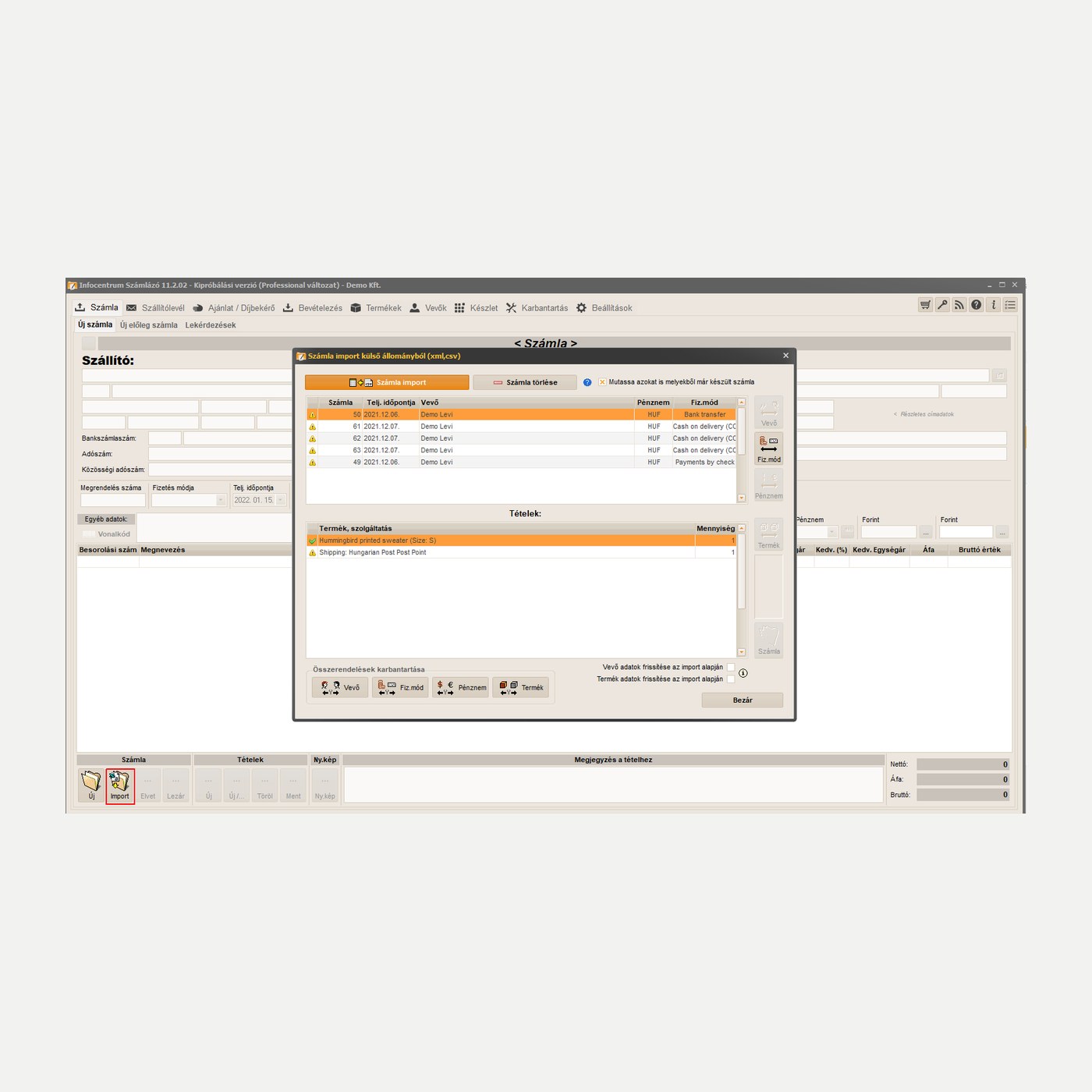
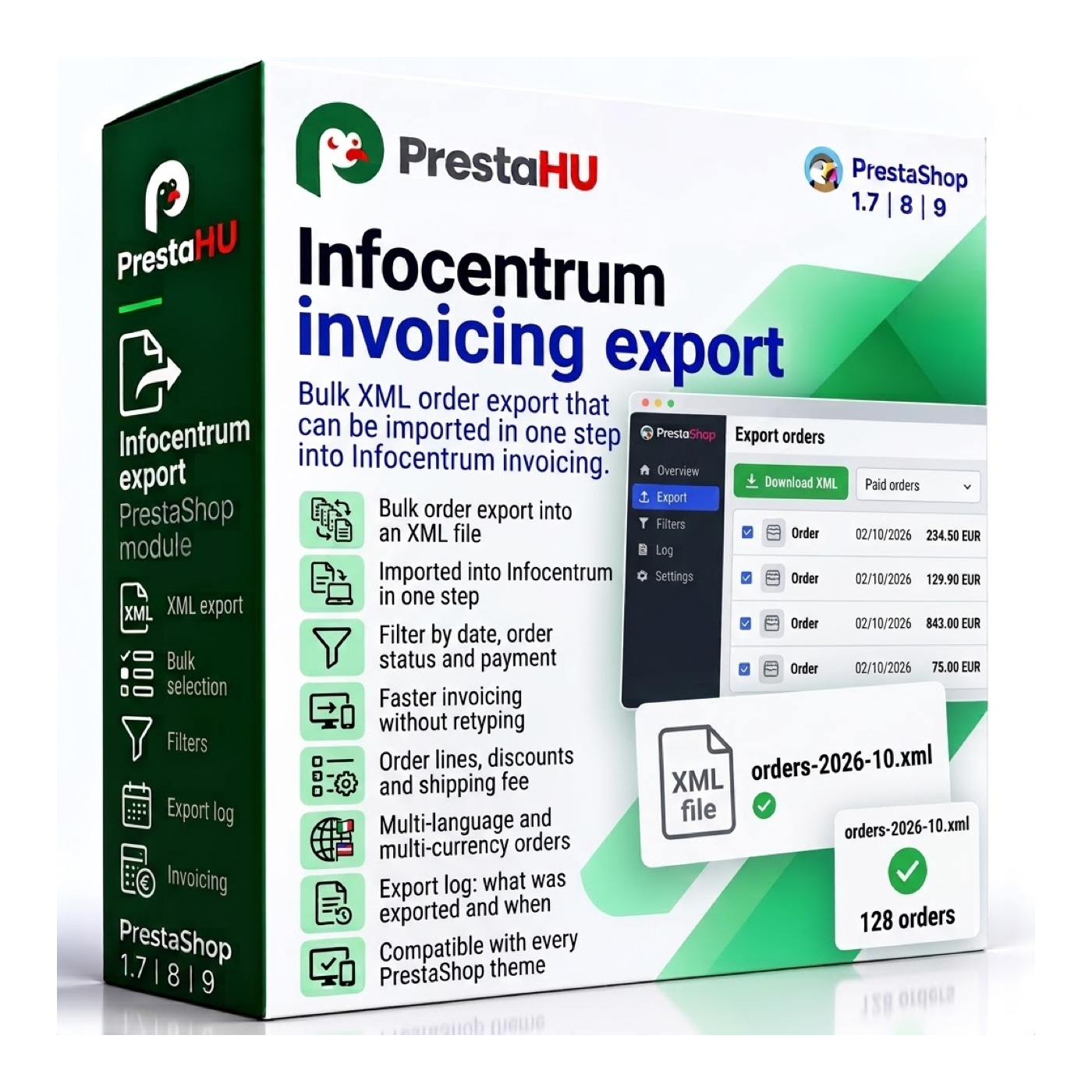
Orders become an import XML file that the Infocentrum accounting software reads, with no retyping.
Infocentrum PrestaShop module – order export | PrestaHU

What it does

A ready-to-import accounting file straight from the order, with no manual typing.

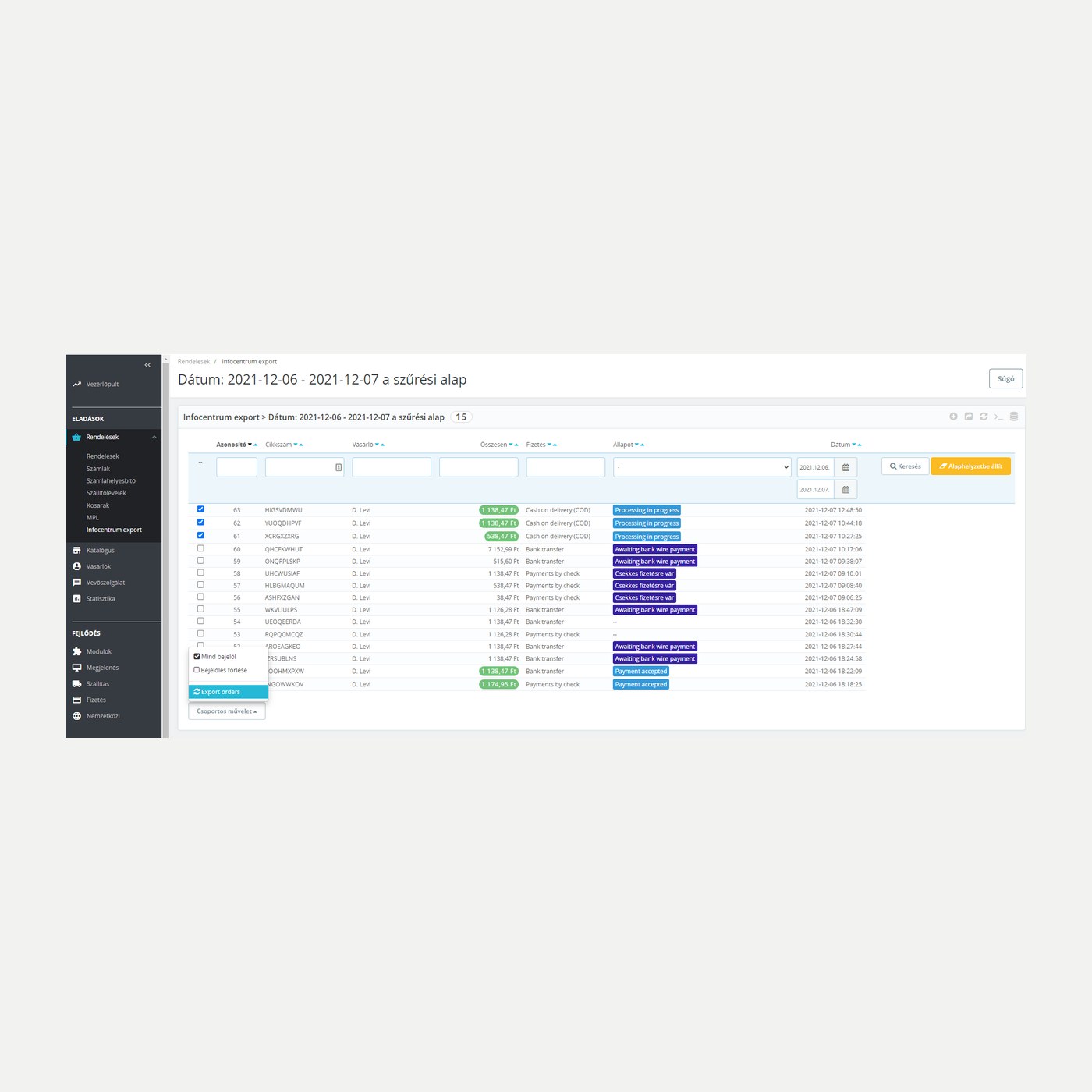
Bulk export from a list

From the dedicated export list you can select several orders and export them into one file at once.


Full line mapping

Alongside products, discounts and shipping cost are written as separate line items in the file.

Export from the order page

Every order page gets an export button that instantly builds the Infocentrum import file for that order.

VAT and currency per line

Each line carries its own VAT rate and the order currency in the export.

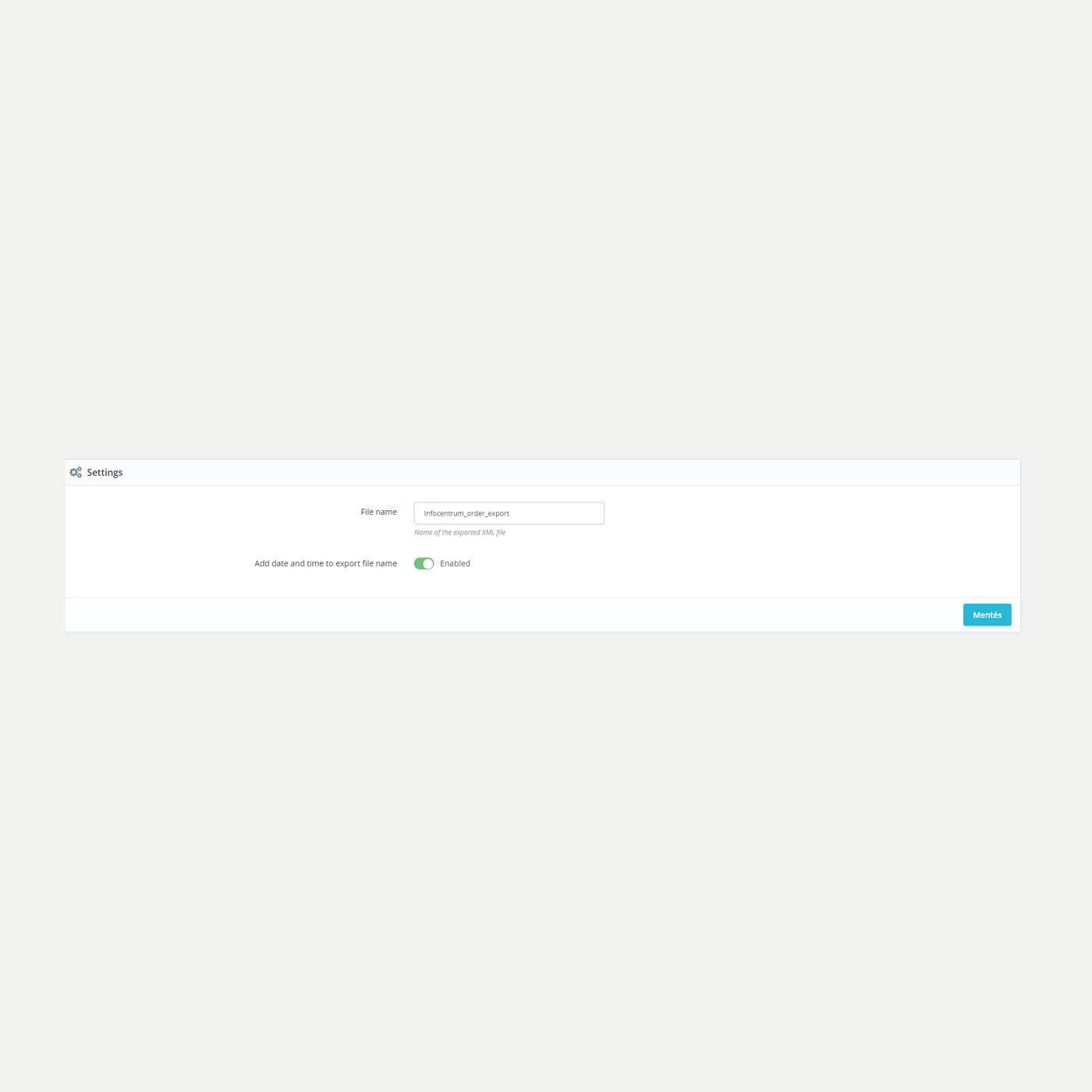
Custom file name

The export file name is free to set, with an optional date and time stamp appended.

No external service

The file is built inside your shop, with no external account, key or online connection.

Good to know

What you need

Upload and enable the module the usual way. From there you export orders one by one or in bulk, and import the resulting XML into Infocentrum.

  • Compatibility: PrestaShop 1.7 to 9, PHP 7.1 to 8.4.
  • Output: Infocentrum import XML with 37 data fields per line.
  • Export modes: Per order from the order page, or in bulk from the export list.
  • File name: Free-form file name with an optional date and time stamp.
  • Language: Hungarian admin interface.
  • Updates: 12 months of updates and support in English.

Why it helps

What you gain

  • Less manual workThere is no need to retype order data; the file is built from the order automatically.
  • Faster bookkeepingOrders reach your accounting with a single click, one at a time or in batches.
  • More accurate dataTyping mistakes disappear, because the data comes straight from the order.
  • A consistent processEvery order is exported in the same format, with the same set of fields.

Technical details

Compatibility and version

Compatibility
PrestaShop 1.7.4–1.7.8, 8.0–8.2, 9.0–9.2
Version
1.1.5

Versions

What changed in each version

v1.1.52026-10-29

  • Only authorised employees can download the XML file of an order
  • Discounts and shipping are also exported with net unit prices
  • On multistore, the module is enabled in every webshop at install
  • On PrestaShop 1.7, the module list shows the new version after an update
  • The order export list carries the module header with a link to the settings

v1.1.42026-10-18

  • Internal improvements

v1.1.32026-10-10

  • Internal improvements

v1.1.22026-10-10

  • Export on PrestaShop 9 and PHP 8
  • Hungarian translation
  • Internal improvements

v1.1.02026-08-30

  • PrestaShop 9 compatibility
  • Export flow bug fixes

PrestaHU reviews on Google

Google 5.0 62 Google reviews All reviews on Google
  • tomica blagojević 11 months ago

    I bought a PrestaShop module from PrestaHU and I’m very satisfied. The module works perfectly, and the owner Levente quickly resolved all my questions with great support. Highly recommended!

  • Ivonig Corfmat 2 years ago

    Levente/presta.hu has been very helpful and quick to reply to any question or issue we may have had in order to install and configure the plugins.

    We got 2 plugins from presta.hu and both are doing their tasks just fine.

  • Marcos Ametller 1 year ago

    The module with SimplePay worked and was a lower price than the recommended by OTP. And the service from Levente has been spotless. I recommend

  • András Bajomi 2 years ago

    Levente is a real Prestashop guru, with all the skills & knowledge to solve our PS issues quickly and efficiently.

  • Wiki W 3 years ago

    Great modules for Prestashop and excellent support from Levi!
    All recommendations for this developer!

Frequently asked questions

What people ask before buying

What exactly does the export do?
It builds an Infocentrum import XML file from the order data, which you import directly into the Infocentrum accounting software.
Do I need an Infocentrum account or API key?
No. The file is built inside your shop, with no external account, key or online connection; you import it into Infocentrum yourself.
What data goes into the file?
Customer and invoice address, payment method, currency, the product line items, discounts and shipping, each with its VAT rate, quantity and unit price.
Can I export one by one and in bulk?
Yes. A single order from the order page, and several orders at once from the dedicated export list.
Does it handle multiple currencies and VAT?
Yes, every line is exported with the order currency and its own VAT rate.
Which PrestaShop versions are supported?
PrestaShop 1.7 to 9, PHP 7.1 to 8.4.
How many shops can I use one licence on?
The licence is tied to the domain given at purchase. Additional shops need additional licences; get in touch and we will sort it out.

Help

Where to get help if you get stuck

All modules

Browse our other PrestaShop modules.

Built to work together

Our modules are designed to run side by side in the same shop.

Frequent updates

Fixes and improvements arrive continuously, in frequent new versions.

Live support

Direct help during installation and setup.
100%

Scroll or double-click: zoom · Drag: move · ESC: close

Info Centre for billing export €19.99excl. VAT
My modules