

PrestaShop 1.7–9.1 compatible

A deleted product URL should return 301, not 404.

5.0 61 Google reviews of PrestaHU

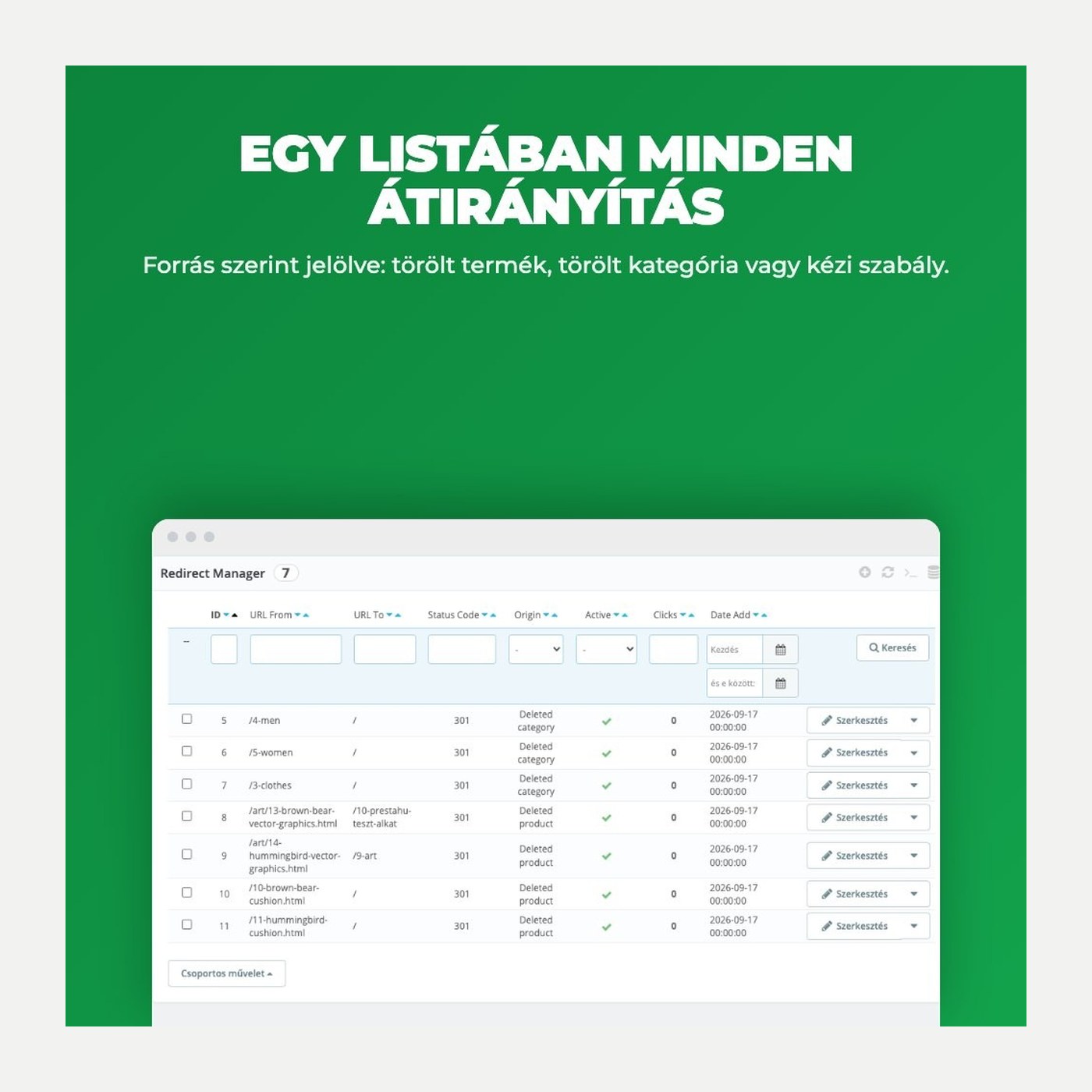
Redirects are created on deletion, and every existing rule is managed from one list.

€24.99excl. VAT

Price excluding VAT. Buyers in the EU pay 21% VAT on top, except businesses outside Romania with a VAT number valid in VIES.

One-off fee • 12 months of updates and support

Try the demo
  • Set up in minutes
  • No developer needed
  • Support in English
A deleted product’s old URL no longer ends in a 404: a 301 redirect sends visitors to its category.
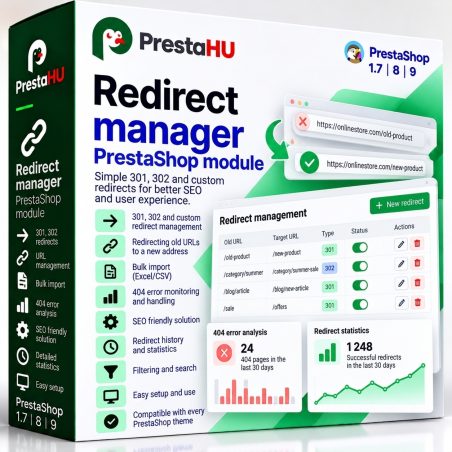
Redirect Manager – 301 redirects and automatic redirection

What it does

Redirects where the work used to be manual.

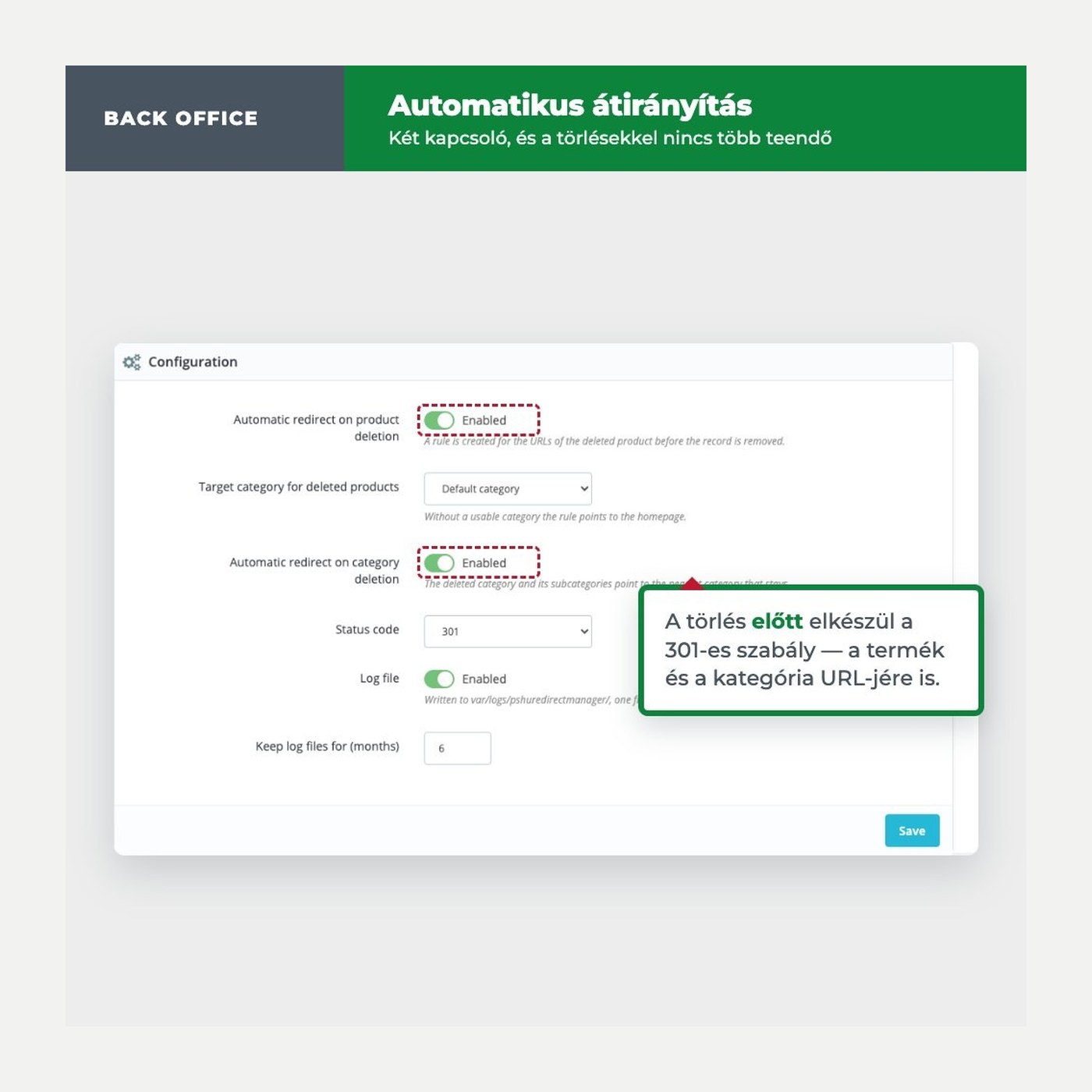
Redirect on product deletion

The rule is created before the product is removed. The target is configurable: default category, deepest or highest assigned category.


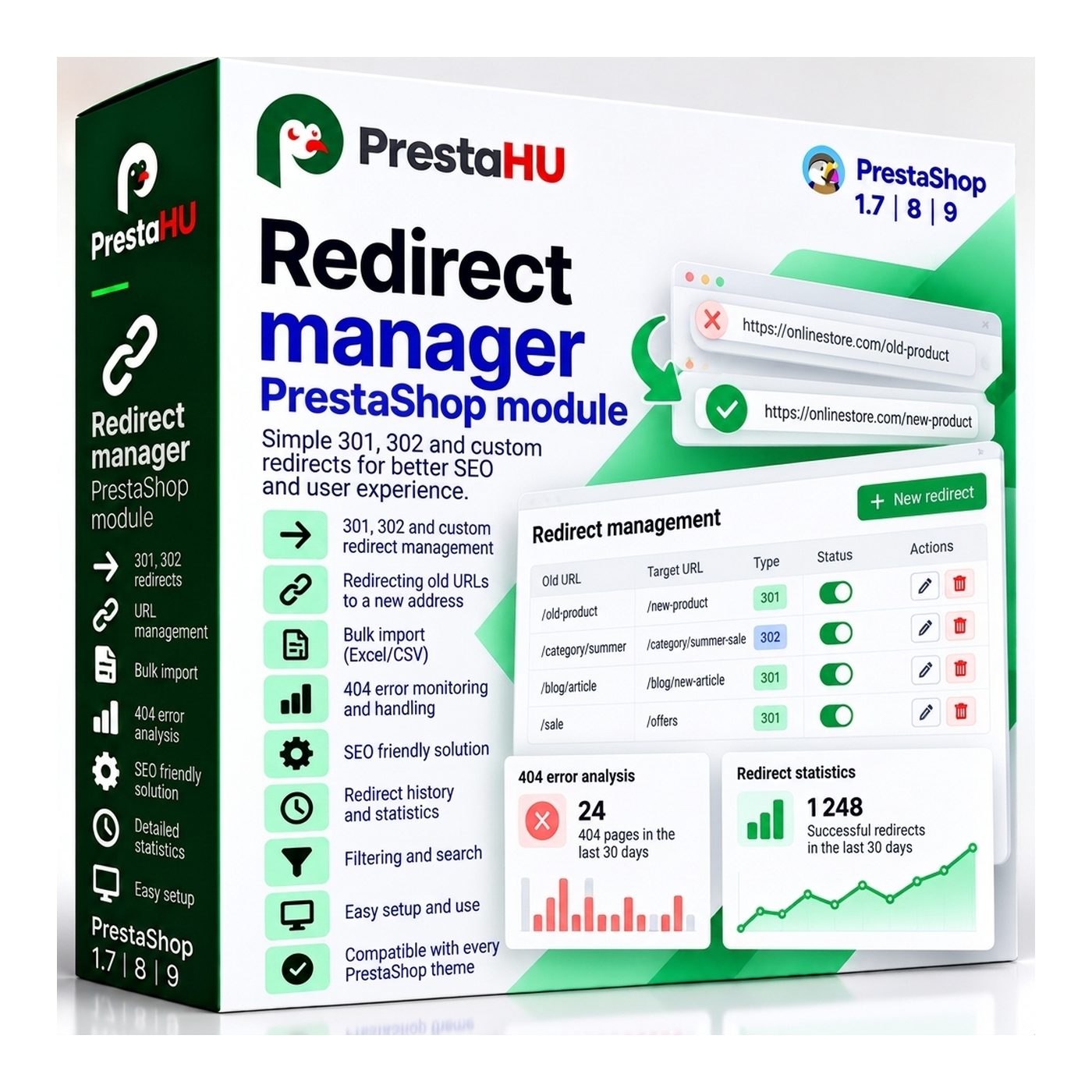
Redirect management list

Rules are editable in a list: status code, on and off, click counter, filtering by origin.

CSV import for migrations

URLs inherited from a previous system can be uploaded from a CSV file by column order.

Redirect on category deletion

The deleted category and its subcategories point to the nearest category that stays. Without one, they point to the homepage.

One rule per language

Every active language gets its own rule, and in multistore only the shop the record is removed from.

Log of every decision

A file log of every automatic decision, one file per month, for the developer.

The real interface

This is the module from the inside

Good to know

Do I need a developer?

No. Upload and install the module as usual, switch on what should be redirected, and pick the target category. From there, deletions need no further work.

  • Compatibility: PrestaShop 1.7 to 9, with multistore and multiple languages.
  • Setup: Install, two switches and one target category.
  • Status codes: 301, 302, 303, 307 and 308 per rule.
  • Import: Bulk upload from CSV with the URLs of the previous system.
  • Updates: 12 months of updates and support.

Why it pays off

What you gain with visitors and in search

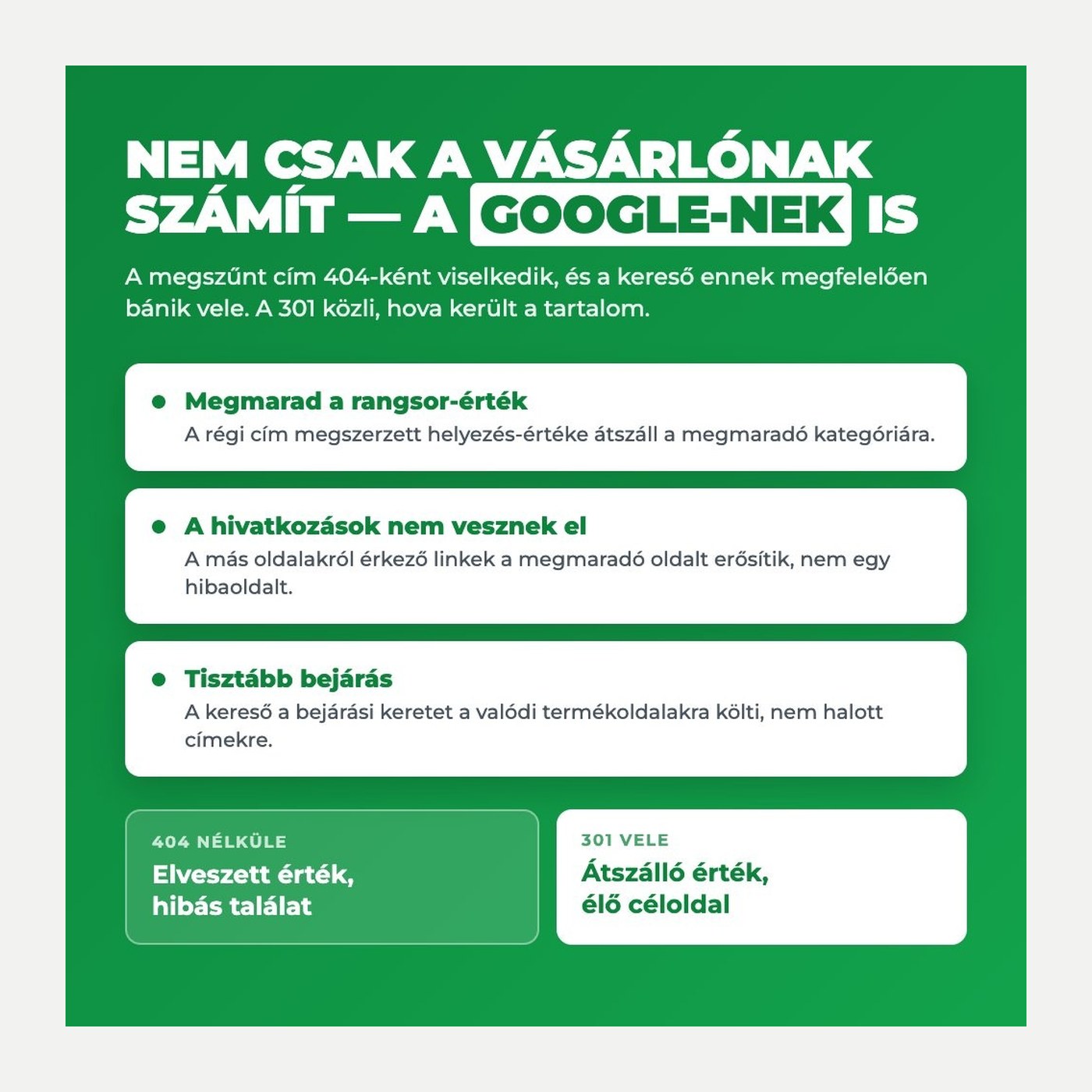
  • Ranking value is keptA 301 passes the ranking the old URL earned to the category that stays; a 404 simply drops it.
  • Inbound links keep their valueLinks from other sites and from newsletters strengthen the page that stays, not an error page.
  • Cleaner crawlingThe crawler spends the shop’s crawl budget on real product pages instead of dead URLs.
  • Visitors are not lostVisitors from search land on a product list instead of a 404, so they do not continue at a competitor.
  • No cleanup afterwardsThe rule is written at deletion time, so links do not have to be collected later.
  • You see what is still usedThe click counter shows which old URLs are still visited, and the 404 list in Search Console stops growing.

Technical details

Compatibility and version

Compatibility
PrestaShop 1.7–9.1
Version
1.2.1

Versions

What changed in each version?

v1.2.12026-10-18

  • Internal improvements

v1.2.02026-10-15

  • New guided settings screen with an overview
  • Automatic redirect on product and category deletion
  • Missing pages lead to the homepage until a set day
  • Visit count per rule and for the last 30 days
  • Multistore: a rule for one webshop or for all
  • The old address can be entered as a full URL

v1.1.42026-10-10

  • Internal improvements

v1.1.32026-09-17

  • Timestamps now keep the time in the rule list
  • Unused files removed

v1.1.22026-09-17

  • Hungarian back-office translation
  • Localized module name and description

v1.1.12026-09-17

  • Automatic 301 for deleted products and categories
  • Target category: default, deepest or highest
  • Subcategories and every language get their own rule
  • Direct target instead of a redirect chain
  • Origin column and filter in the list
  • File log, one per month

PrestaHU reviews on Google

Google 5.0 61 Google reviews All reviews on Google
  • tomica blagojević 11 months ago

    I bought a PrestaShop module from PrestaHU and I’m very satisfied. The module works perfectly, and the owner Levente quickly resolved all my questions with great support. Highly recommended!

  • Ivonig Corfmat 2 years ago

    Levente/presta.hu has been very helpful and quick to reply to any question or issue we may have had in order to install and configure the plugins.

    We got 2 plugins from presta.hu and both are doing their tasks just fine.

  • Marcos Ametller 1 year ago

    The module with SimplePay worked and was a lower price than the recommended by OTP. And the service from Levente has been spotless. I recommend

  • András Bajomi 2 years ago

    Levente is a real Prestashop guru, with all the skills & knowledge to solve our PS issues quickly and efficiently.

  • Wiki W 3 years ago

    Great modules for Prestashop and excellent support from Levi!
    All recommendations for this developer!

Frequent questions

What customers ask most often

What about products that were already deleted?
No rule can be built for those, because the URL is no longer reconstructable. They can be added manually or from CSV.
What is the target when a product loses every category?
The rule points to the homepage, so the visitor does not end up on an error page.
Does the module overwrite manual rules?
No. When a URL already has a rule, the module leaves it alone and writes that to the log.
Does it work with several languages and shops?
Yes. Every active language gets its own rule, and in multistore only the shop the record is removed from.
Do redirects slow the shop down?
No. Matching is an indexed lookup on the rule table and runs before the controller loads.
What happens when the module is removed?
The rules and their statistics stay in the database; only the module settings are removed.
Can it handle URLs inherited from another system?
Yes. CSV import fills the list with the old URLs by source and target column index.
Why does this matter to Google, not just to visitors?
Because search engines treat a removed URL as a 404: the ranking it earned and the value of every link pointing at it are lost, and part of the crawl budget goes to dead addresses. A 301 tells the crawler where the content went, so the value moves to the page that stays and the 404 list in Search Console stops growing.

Support

Where to find help

All modules

Browse our other PrestaShop modules.

Built to work together

Our modules are designed to run side by side in the same shop.

Frequent updates

Fixes and improvements arrive continuously, in frequent new versions.

Live support

Direct help with installation and setup.
100%

Scroll or double-click: zoom · Drag: move · ESC: close

Redirect Manager – 301 redirects and automatic redirection €24.99excl. VAT
My modules