
PrestaShop 1.7.8, 8.0–8.2, 9.0–9.2 compatible

PrestaShop Checkout with Quick Order

5.0 63 Google reviews of PrestaHU

Built on the Baymard Institute Checkout UX Benchmark recommendations

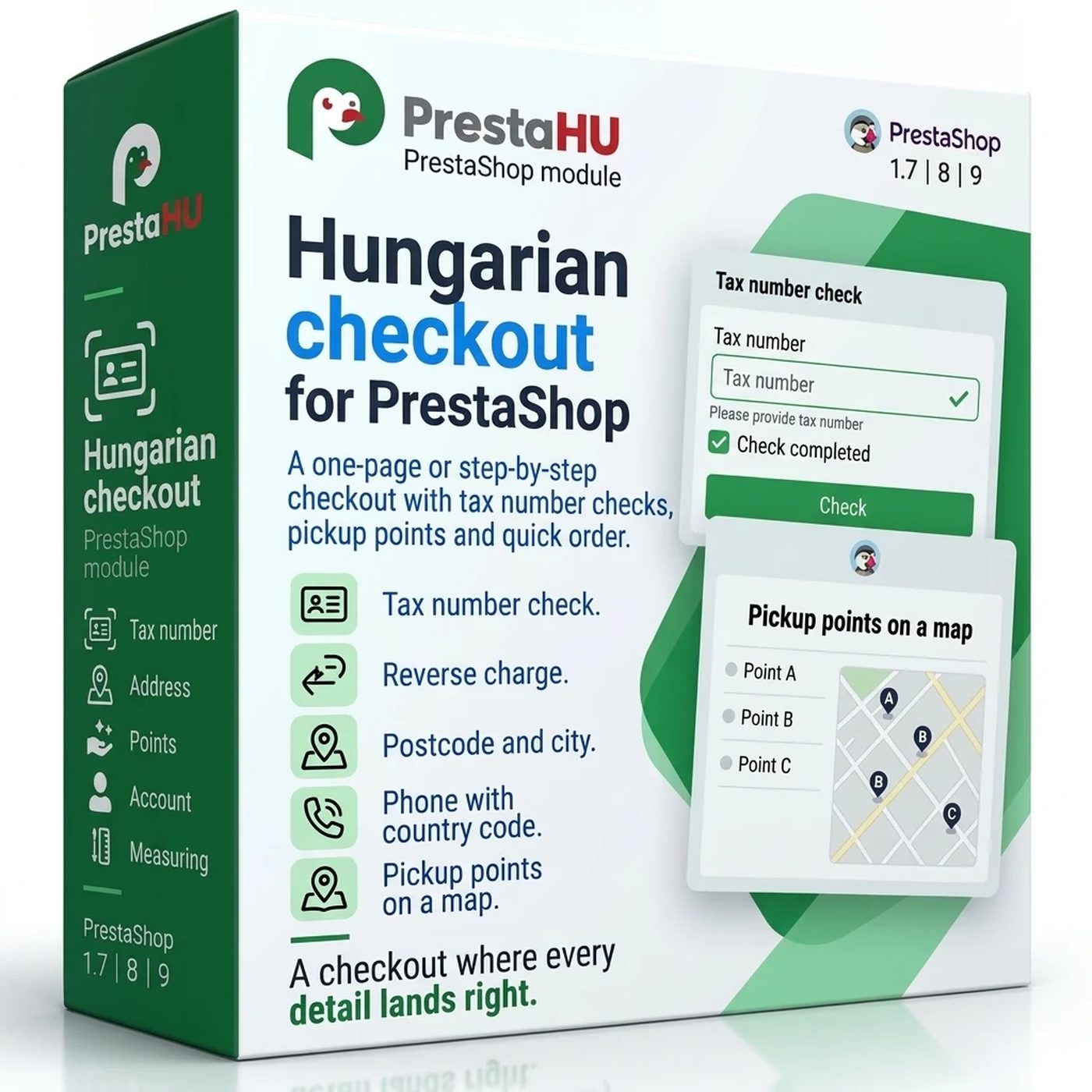
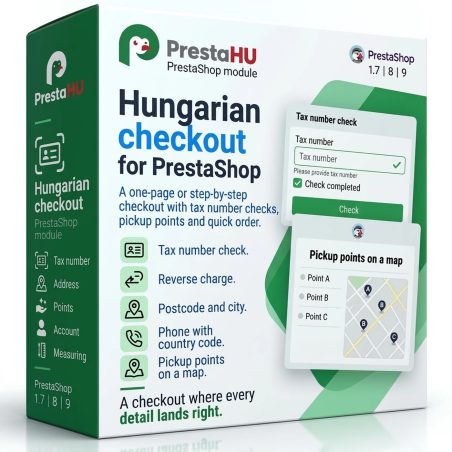
A checkout with one shared pickup map: Packeta, GLS, DPD, FAN Courier, Foxpost, Magyar Posta, Packli and your own pickup locations under one delivery method, checked VAT numbers, one-click ordering on the product page and in the cart.

€49.99excl. VAT€69.99

Net price.

One-time fee • 12 months of updates and support

Free gift with this module

Social login with Google and Facebook It is added to the cart automatically. Free €29.99

Offer valid until November 30, 2026.

Try the demo
  • Every pickup point on one map
  • Checked VAT numbers
  • Test mode first
How the module works: every carrier’s pickup points on one shared map, quick order from the cart and one-click order.
PrestaHU Checkout

What it does

One map, one click, a shorter checkout.

One click on the product page

An order button sits under the add to cart button. For a signed-in customer with an earlier order, the window has no input field: the delivery, pickup point and payment of the last order are shown as text, each with a Change link; the customer ticks the terms and places the order.

The same button in the cart

The cart page has one order button, and it opens the same window for the products in the cart. The product page button and the cart page button each have their own switch, per shop.

A short form for everyone else

Guests and first-time buyers see Quick order and get a short form: contact details, delivery and payment in one column, without numbered steps; the billing address is the delivery address, and company details sit behind the Company invoice link. The same form opens, filled in, when the last order cannot be repeated.

Every pickup point on one map

The points of the PrestaHU modules for Packeta, GLS, DPD, FAN Courier, Foxpost, Magyar Posta and Packli appear under one delivery method, “Pickup point or parcel locker”. A place served by several carriers is one marker, with each carrier and its price. Filters for carrier, point type, card payment and opening hours; search by postcode, town or street. The chosen point is saved by the carrier module, so its labels and the order page work as before, and any carrier can also stay in a row of its own.

The chosen point on a card

Until a point is chosen, the delivery row shows only the Choose a pickup point button. The saved point sits on a highlighted card with the carrier logo, the address, today's opening hours, the delivery method and its fee; Change point picks another one, Cancel keeps the earlier one.

A checkout in your webshop's colours

One-page or step-by-step checkout, with eight ready colour schemes, the colours read from the webshop's theme or the colour of the logo. A colour too pale gets a readable shade suggested, and the look can be previewed on the checkout before saving. When several fields need a correction, a summary bar leads to each one; the terms open in a window.

Checked VAT numbers

EU VAT numbers are checked in VIES, Hungarian tax numbers with NAV and Romanian CUI codes with ANAF. When it applies, the reverse charge is set and companies are put into a customer group; every check can be looked up later.

Only the fields that apply

Each custom checkout field can show for every delivery method, for home delivery only or for pickup points only; a hidden field is not required and keeps no value with the order. When the address is filled in but not saved, the step to take stands beside the order button, naming any missing field.

See where the checkout stalls

The drop-off report counts the carts step by step, lists the obstacles and the time spent per step, and shows the conversion of the checkout, the quick order and the one-click order in separate rows. GA4 events also carry the way the order came. The Quick orders tile on the Overview shows the quick orders of the last 30 days in four numbers: product page and cart page, one-click and quick order.

The customer's cart stays as it was

An order from the product page holds only that product, with the chosen combination and quantity, in a separate cart. The customer's earlier cart is still there after the window closes, after a completed or abandoned payment, and after signing out and back in.

Your own pickup locations on their own map

A shop, a warehouse or a partner point is added with a pin, weekly opening hours and a name in each language, and imported or exported as a CSV file. The shopper chooses on a map or from a list ordered by distance; the point shows on the order, in the confirmation e-mail and on the invoice.

Address, delivery day, delivery rules

City from the postcode, phone numbers with the country code, street-level address suggestions. The expected delivery day shows at each carrier, and a handling fee and a cart value limit can be set per carrier.

The actual interface

The module interface

Good to know

Do you need a developer?

No. The module is uploaded the usual way, opens under Orders › PrestaHU Checkout, and the quick setup takes you through three steps. It starts in test mode: only staff and visitors with the test link see the module’s checkout.

  • Design: The checkout follows the recommendations of the Baymard Institute Checkout UX Benchmark.
  • Compatibility: PrestaShop 1.7.8 or newer, PHP 7.1 or newer, one or more shops; settings apply per shop.
  • Cron job: Not needed: the point lists are refreshed by the shop’s own visits.
  • External services: VIES, NAV, ANAF, address suggestions and bot protection only when you set them up; the checkout works without them.
  • Languages: English, Hungarian and Romanian interface; the shopper texts can be translated in PrestaShop.
  • Uninstall: The PrestaShop checkout comes back, and the data stays unless you ask for it to be deleted.
  • Support: 12 months of updates and support.

Why it is good for you

Fewer clicks, cleaner orders

  • A shorter checkoutIn the quick order window everything sits in one column; nobody has to step through the whole checkout.
  • Returning customersAnyone who has ordered before repeats the last delivery and payment in one click, from the product page or the cart, and only accepts the terms.
  • Correct company invoicesThe checked VAT number and the company name from the register are shown on the order page.
  • A safe startYou try it in test mode and switch back to the original checkout with one button.

Technical details

Compatibility and version

Compatibility
PrestaShop 1.7.8, 8.0–8.2, 9.0–9.2
Version
1.4.4

Versions

What changed in each version?

v1.4.42026-11-26

  • Full-width password field in the AngarTheme template

v1.4.32026-11-24

  • One checkout and one summary in the AngarTheme template
  • The summary stays in view while scrolling in the AngarTheme template
  • A header fixed on scroll does not cover the checkout
  • The connection test shows the reason and the error code
  • The pickup point and locker carriers of DPD Romania, Sameday, Cargus and eAWB are listed among the pickup points
  • The card of the chosen pickup point shows the new name when the shopper picks the point of another carrier at the same place

v1.4.22026-11-18

  • No white band between the chosen pickup row and the point picker
  • The chosen payment method's frame also holds its logos and description

v1.4.12026-11-18

  • Empty required fields shown in red with what is missing
  • City picked from a list fills in the postcode
  • No leftover city hint after the postcode is cleared
  • Error messages in a red box
  • The chosen payment method's frame includes its description
  • Pickup point list: even buttons, clearly marked chosen point
  • Loading bar stays within the delivery list

v1.4.02026-11-18

  • Delivery methods in groups: pickup point, home, in person
  • One order deadline above the delivery list
  • A finished step shows a short summary with Change
  • Quick order in two columns on wide screens
  • Thank-you page: expected delivery and pickup point with icons
  • Summary: item count beside the title, larger total
  • Text buttons follow the chosen colour scheme

v1.3.02026-11-15

  • Quick order button on the product page and the cart page
  • One-click window without fields, shorter quick form
  • Product page orders in a separate cart, customer cart kept
  • Pickup point card with a Change button and the carrier logo
  • Custom fields by delivery type, hint for an unsaved address
  • New GA4 checkout_type values, GTM setup needs an update
  • Pickup point picker works with other carrier modules

v1.2.12026-11-13

  • The checkout lets the customer continue once a pickup point is saved in the carrier module's own selector
  • The menu items of the module show in the language of the back office
  • Dates and times on the overview cards stay on one line
  • The map search opens on the town entered and zooms in on the pickup point picked from the list
  • On phones, tapping a visible row of the point list under the map opens the pickup point
  • Checkbox fields added to the checkout keep a gap between the box and its label, in Bootstrap 5 themes as well
  • Payment module names show in the language of the back office in the settings, the restrictions and the Drop-off tab

v1.2.02026-11-12

  • Eight ready colour schemes for the checkout
  • Colour suggestions from the webshop and logo, with contrast fix
  • Summary background, spacing, field style and preview before saving
  • Error summary when two or more fields need a correction
  • Terms and privacy notice in a window over the checkout
  • PS 1.7: the new version shows after an update by ZIP upload

v1.1.02026-11-11

  • Quick setup in three steps, only the questions that matter
  • Settings in tabs with sections you can fold
  • Overview cards open their own settings
  • Module log events with readable details
  • EU VAT number accepted while VIES does not answer
  • No “No connection” message when leaving for payment

v1.0.02026-11-09

  • Quick order from the cart page: contact details, delivery, address and payment in one window, with the cart lines still editable
  • One-click order for signed-in customers to their last pickup point or address; they only pick the payment method
  • Step-by-step checkout with a progress bar or a one-page checkout; the order of the steps, the sign-in offer and the address form can be set
  • VAT number checks: EU VAT in VIES, Hungarian tax numbers with NAV, Romanian CUI with ANAF; reverse charge and a customer group for companies
  • Drop-off report step by step, with the conversion of the checkout, the quick order and the one-click order in separate rows; a GA4 event on the way the order came
  • City from the postcode, phone numbers with the country code, address suggestions; carrier lockers and your own pickup points on one map

PrestaHU reviews on Google

Google 5.0 63 Google reviews All reviews on Google
  • tomica blagojević 11 months ago

    I bought a PrestaShop module from PrestaHU and I’m very satisfied. The module works perfectly, and the owner Levente quickly resolved all my questions with great support. Highly recommended!

  • Ivonig Corfmat 2 years ago

    Levente/presta.hu has been very helpful and quick to reply to any question or issue we may have had in order to install and configure the plugins.

    We got 2 plugins from presta.hu and both are doing their tasks just fine.

  • Marcos Ametller 1 year ago

    The module with SimplePay worked and was a lower price than the recommended by OTP. And the service from Levente has been spotless. I recommend

  • András Bajomi 2 years ago

    Levente is a real Prestashop guru, with all the skills & knowledge to solve our PS issues quickly and efficiently.

  • Wiki W 3 years ago

    Great modules for Prestashop and excellent support from Levi!
    All recommendations for this developer!

Frequently asked questions

What people ask before buying

Which pickup points appear on the shared map?
The points of Packeta, GLS, DPD, FAN Courier, Foxpost, Magyar Posta and Packli, when their PrestaHU module is installed, and the webshop's own pickup locations. The shared map is one delivery method in the checkout; any carrier can also stay in a row of its own. The chosen point is saved by the carrier module, so label printing stays the same.
Can I try it before customers see it?
Yes. The module starts in test mode: only signed-in staff and visitors with the test link see its checkout, everyone else keeps the original one. Going live is a switch on the Overview screen, and the Back to the original checkout button returns the PrestaShop checkout at once.
Does it work with my payment and shipping modules?
The checkout offers the carriers and payment methods installed in PrestaShop. The Overview screen shows the state per module: works natively, works with an adapter, tried in an order, or not tried yet.
What is needed for the VAT number checks?
VIES checks of EU VAT numbers and ANAF lookups of Romanian CUI codes need no account. The Hungarian NAV lookup needs a technical user of the shop’s company in NAV Online Invoice. When a register does not answer, the order can still be placed by default and the number stays unchecked.
How does the one-click order work?
A signed-in customer with an earlier order sees Buy with one click on the product page and on the cart page. When the last order can be repeated (the pickup point works, the carrier delivers to the address, every required detail is there and a payment method without a form of its own is available), a window without input fields opens: delivery, payment and billing are shown as text, and the customer ticks the terms and places the order. Otherwise the quick order form opens, filled in. The product page button and the cart page button have separate switches.
Can the checkout match the webshop's colours?
Yes. The Look window offers eight ready colour schemes, the colours read from the webshop's theme and the colour of the logo, or own colours; the summary background, the spacing and the field style can be set too. When a colour is too pale for text, the module suggests a readable shade. Before saving, the look can be previewed on the checkout through a preview link; customers keep seeing the saved look until then.
What happens to the customer's cart after an order from the product page?
It stays as it was. The order from the product page goes into a separate cart holding only that product, with the chosen combination and quantity. After the window closes, after a completed or abandoned payment, and after signing out and back in, the customer finds the earlier cart in the shop.
Which PrestaShop versions does it run on?
PrestaShop 1.7.8 or newer with PHP 7.1 or newer, one or more shops.

Help

Where to get help

All modules

Browse our other PrestaShop modules.

Built to work together

Our modules are designed to run side by side in the same shop.

Frequent updates

Fixes and improvements arrive continuously, in frequent new versions.

Live support

Direct help during install and configuration.

Try the demo

Both open the same demo shop; the bar at the bottom switches between the two sides.

100%

Scroll or double-click: zoom · Drag: move · ESC: close

PrestaHU Checkout €49.99excl. VAT
My modules