




PrestaShop 9.0 was released in June 2025; since then 8.2 only gets security and critical fixes. PrestaShop 9.2 came out in September 2026, while the latest release of the 8.2 branch is 8.2.8 from August 2026. PrestaShop recommends that shops on version 8 plan the move to 9, but does not treat it as an emergency step.
Version 9 is a major release: the framework underneath, the default theme and many back-office pages have changed, so the move is more work than a minor update. This article sums up how long 8.2 gets fixes, what changes in 9, what can break during the move, what 9 brings to a shop, and how to prepare the move.
Not a technical person?In plain English: do I need to do anything now?
PrestaShop 8.2 still gets security fixes today, but only those: no new features are added. The fixes continue until PrestaShop 10 is released; there is no date for that.
Moving to 9 is more work than a usual update: the theme and some modules may need changes. So it is worth assessing now what it takes, and trying it on a test copy before the live shop moves. Until then, the latest 8.2 release, 8.2.8, should be installed.
What to do: ask the person who maintains the shop. The questions below can be sent to them as they are.
Questions for the person who maintains the shop
Which PrestaShop version does the shop run, and is 8.2.8 installed? Which theme does the shop use, and is there a version of it for PrestaShop 9? Which modules have a release for PrestaShop 9, and which do not? Does the shop have custom development or overrides that need checking for the move? Can the move to 9 be tried on a test copy, and how much work would it be?
How long does PrestaShop 8.2 get fixes?
Since the release of 9.0 (10 June 2025), 8.2 has been in extended support: it only gets critical bug and security fixes, until PrestaShop 10.0.0 is released. The date of 10.0.0 is not known; in 2025 PrestaShop still planned 10 to follow 9.1, but 9.2 was released instead.
Seven patch releases of 8.2 have come out during extended support so far, the latest being 8.2.8 (18 August 2026). 8.2 is built on the Symfony 4.4 framework, which no longer gets Symfony fixes, and PrestaShop does not backport them to the 8 branch; that is why it recommends planning the move to 9.
8.1 and 8.0 get no fixes: their last releases are 8.1.7 (June 2024) and 8.0.5 (August 2023). The five security flaws of August 2026 affect version 8 from 8.0.0 on, and are only fixed in 8.2.8. Shops on 8.1 or 8.0 need to move to at least 8.2.8.
How is PrestaShop 9 different from 8.2?
| Area | 8.2 | 9.x |
|---|---|---|
| Framework | Symfony 4.4, no longer fixed | Symfony 6.4, security fixes until November 2027 |
| PHP | 7.2–8.1 | 8.1–8.4 (9.0), 8.1–8.5 (9.1, 9.2) |
| Memory | at least 256 MB | at least 512 MB |
| Default theme | Classic | Hummingbird on new installs (from 9.1) |
| Releases | security and critical fixes only | new features too |
The only PHP version the two branches share is 8.1: a shop on PHP 8.1 can stay on the same PHP when moving to 9. The database minimum is the same for both (MySQL 5.7 or MariaDB 10.2).
What can break when moving to 9?
According to PrestaShop, 9 is a major version, so some modules and themes may need updates. For smaller steps within 9 (for example 9.1 → 9.2) the theme and modules are expected to keep working; this does not apply to the 8 → 9 step. According to the developer documentation, these have changed:
- Modules: some hooks were removed (for example those of the old product page), the old back-office product page is gone, and several back-office pages (for example Products, Carts, Order states) were rebuilt. Modules relying on them may need rewriting.
- Custom development: if someone overrode how old back-office pages work, some of those overrides no longer run in 9.
- Old libraries: Guzzle and Swift Mailer were removed; modules using them have to be rewritten.
- E-mail: SSL was removed from the SMTP settings; only TLS or no encryption can be chosen. If the shop sends with SSL, it has to be switched.
- Custom theme: the data of category, brand, supplier and store pages reaches the template in a new form, so the templates of a custom theme have to be rewritten.
Which of these affects a given shop depends on its installed modules, theme and custom development; a test copy is how to find out.
What happens to the Classic theme in 9?
From 9.1, Hummingbird is the default theme on new installs. Classic is still part of the 9.2 package, with a separate 3.x version for 9; PrestaShop moved Classic to its own repository so that it can become optional in the future. There is no official information on whether an existing shop switches to Hummingbird when updated, or how long Classic will be supported.
The new one-page checkout of 9.2 works out of the box with Hummingbird-based themes and does not support the Classic theme by default. If the shop uses a custom theme built on Classic, it is worth asking the theme's author about a version for 9.
What does 9 bring to a shop?
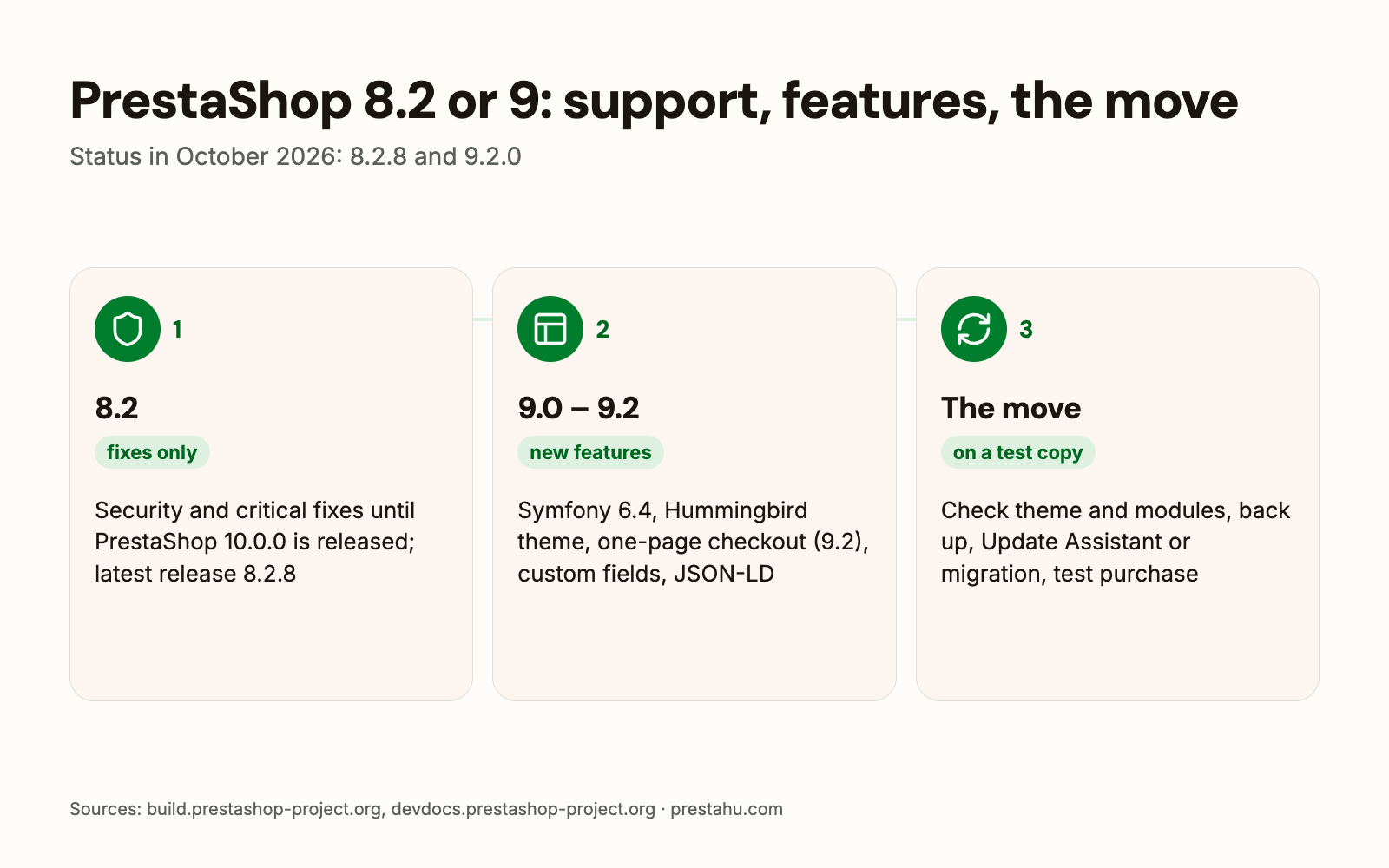
- 9.0: WebP and AVIF images; guest checkout with an e-mail address that already has an account; cleaner product URLs; filtered listing pages are kept out of search engines; logging of module actions.
- 9.1: Hummingbird 2.0 as default theme; faster cart with many product combinations; two experimental features (splitting an order into several shipments, a new discount system), which PrestaShop does not yet recommend on a live shop.
- 9.2: one-page checkout (the four-step checkout stays), custom fields on products, customers and orders, new product states, structured data (JSON-LD) in PrestaShop itself, an AI assistant with your own provider.
More on 9.2 in a separate article: PrestaShop 9.2: what's new and upgrading.
How do you move from 8.2 to 9?
PrestaShop recommends updating to 9 with the Update Assistant module (formerly 1-Click Upgrade). The module only offers target versions compatible with the server's PHP. By default it disables non-native modules, uninstalls modules not compatible with the target version, and regenerates the e-mail templates, so custom changes to e-mail templates can be lost.
For a major version change (for example 8 → 9) the developer documentation also suggests migration: a new shop on 9 and moving the data over, because the old theme and modules may be incompatible. The update description, however, says an in-place update keeps the data, modules and theme. Which way is better depends on the shop's modules and theme.
- Test copy first: for every update PrestaShop asks to try it on a staging environment first, together with the modules and the theme.
- Backup: your own backup of the files and the database, in addition to the Update Assistant backup.
- Afterwards: re-enable the disabled modules and go through the shop as a customer: registration, order, payment, e-mails.
What should you do now?
- If the shop runs 8.1 or 8.0: move to at least 8.2.8, as these branches get no fixes.
- If it runs 8.2: install 8.2.8 if it is not installed yet.
- Assessment: list the theme, the modules and the custom development, and check which has a release for 9.
- Trial: try the move to 9 on a test copy and go through a purchase.
- Timing: plan the live move based on the trial, outside the busy season.
PrestaShop upgrade
The shop upgraded together with its theme, modules and data, prepared on a test copy.
Frequently asked questions
How long does PrestaShop 8.2 get fixes?
Until PrestaShop 10.0.0 is released, security and critical fixes only. The date of 10.0.0 is not known.
Is moving to 9 urgent?
According to PrestaShop it is not an emergency step, but it recommends planning it. Until then the latest 8.2 release, 8.2.8, should be installed.
Do I need to change PHP for 9?
Not necessarily: both 8.2 and 9 run on PHP 8.1.
Does the Classic theme work in 9?
Yes, Classic is still part of the 9.2 package. On new installs Hummingbird has been the default since 9.1, and the 9.2 one-page checkout does not support Classic by default.
Do the modules stay when moving to 9?
The Update Assistant disables non-native modules and uninstalls those not compatible with 9. Whether a module has a version for 9 has to be checked with its author.
Sources: PrestaShop 9.0 available, 8.2.x extended support phase, PrestaShop 9.1.0 available, PrestaShop 9.2.0 available, System requirements (9), Changes in PrestaShop 9.0, Keeping up to date


Comments
No comments yet.