







Alongside the fixes to PrestaShop's own code, several serious flaws have been published in PrestaShop modules since October 2025: in the official PrestaShop Checkout payment module, in a pop-up module, in a UPS shipping module and in a Google Merchant Center product feed module. Some of them gave access to the shop's database, to customer accounts or to the server without logging in.
Module flaws affect a shop whether or not PrestaShop itself is up to date. This article sums up what the flaw was in each module, which version fixes it, why disabling a module is not enough, and where the back office shows that an update is available for a module.
Not a technical person?In plain English: do I need to do anything now?
An online shop is not only PrestaShop but also the modules built on it: payment, shipping, pop-ups, product feeds. If a module has a flaw, an outsider can get into the shop through it even when PrestaShop itself is up to date.
Module updates have to be started in the back office; they are not installed by themselves. A disabled module can still be dangerous, because its files stay on the server; modules that are not used are best uninstalled with their files deleted.
What to do: ask the person who maintains the shop whether the modules are in order. The questions below can be sent to them as they are.
Questions for the person who maintains the shop
Does the shop have the PrestaShop Checkout, Advanced Popup Creator, UPS Shipping or Google Merchant Center Feed (gmfeed) module, and if so, has it been updated to a fixed version? When were updates last checked for all modules? Are there modules we no longer use that can be uninstalled together with their files? Is there a module whose vendor no longer releases updates? Are regular, tested backups made of the files and the database?
Why does shop security so often depend on modules?
In January 2025 PrestaShop wrote about a wave of attacks that exploited SQL injection flaws not in PrestaShop's own code but in third-party modules. Many of the exploited module flaws had been fixed long before; the fix had simply not been installed on the shops. According to PrestaShop, the current PrestaShop version is not affected as long as no vulnerable module is installed and all updates have been applied.
On the list kept since 2020 by Friends of Presta, a community security site, 212 of 230 entries are about modules (our own count from the list). This is not a statistic: Friends of Presta only writes about selected cases, for example when a module is widely attacked or the vendor does not respond.
Which modules had serious flaws since autumn 2025?
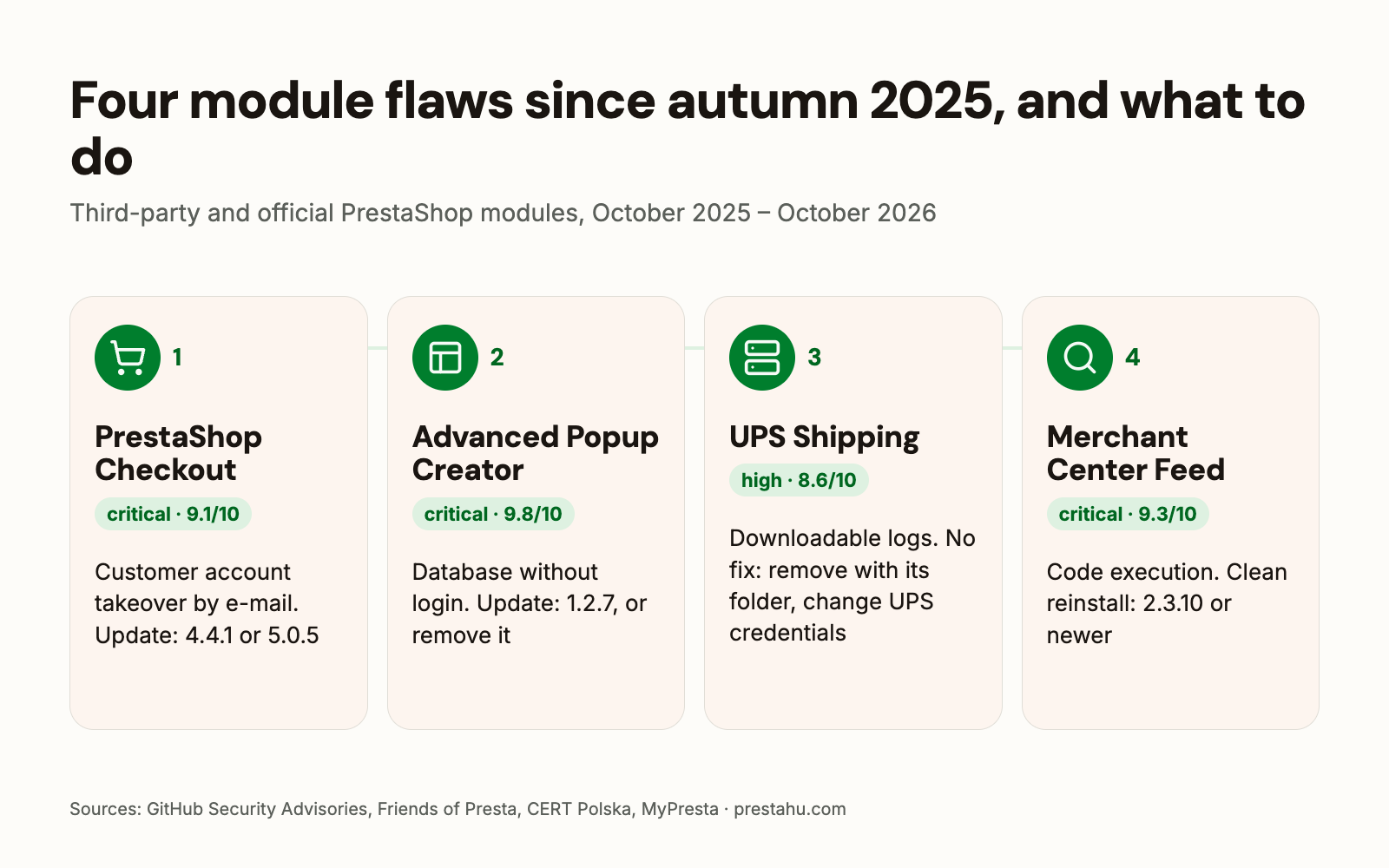
| Module | The flaw | Fixed in |
|---|---|---|
| PrestaShop Checkout critical | customer account takeover knowing only the e-mail address | 4.4.1, 5.0.5 |
| Advanced Popup Creator critical | reading the database without logging in | 1.2.7 |
| UPS Shipping high | logs with UPS credentials and customer data, downloadable by anyone | none, remove it |
| Google Merchant Center Feed critical | running code on the server without logging in | 2.3.10 |
| Faceted Search critical | running code on the server without logging in | 4.0.4 |
Faceted Search is PrestaShop's own filter module; its flaw and how to look for signs of a break-in are covered in a separate article: PrestaShop security updates in 2026. Lower-severity module flaws were also published in this period, for example in PrestaShop's GDPR and wishlist modules (a logged-in customer could record GDPR consent in another customer's name, or see other customers' private wishlists) and in the xipblog blog module.
What was the flaw in the PrestaShop Checkout module?
PrestaShop Checkout is PrestaShop's official payment module, built in partnership with PayPal. A check was missing in its Express Checkout feature, so an attacker could log in to a customer's account without a password, knowing only the customer's e-mail address, and place orders with it. The flaw is critical (9.1/10), affects every version since 1.3.0, and there is no workaround.
The fix was released on 16 October 2025: module versions 4.4.1 and 5.0.5. In the back office the module version has four numbers, the first being the PrestaShop major version: on PrestaShop 8, for example, 8.4.4.1 or 8.5.0.5, or anything newer, is fixed. At the time of publication no exploitation was known.
What was the flaw in the Advanced Popup Creator module?
Advanced Popup Creator (vendor: Idnovate) is a pop-up module sold on the PrestaShop Addons marketplace. Without logging in, any database query could be run through it (SQL injection, 9.8/10). Versions before 1.2.7 are affected; the fix is version 1.2.7 from December 2025.
The flaw was found while investigating a break-in: the admin e-mail address and password reset token were extracted from the affected shop, and full admin access was gained. According to the researcher who reported it, the flaw may have been exploited in the wild. In the usual server log the attack only shows as a generic "POST /" request, without the module's name.
For shops that use this module and ran a version before 1.2.7, the researcher recommends updating or removing it; if it is not strictly needed, uninstalling it and deleting its files. In addition: two-factor login for the back office, changing the back-office address, a custom database prefix.
What to do with the UPS Shipping module, which has no fix?
Every known version of the UPS Shipping Module (vendor: Agence Web 360, folder name upsshipping), at least up to 2.4.0, saves XML logs in its logs/ folder, and these files can be downloaded at predictable addresses without logging in. They contain the merchant's UPS credentials and UPS account number, and the customers' names, addresses and phone numbers. On one affected shop more than 2.3 million such files had built up between February 2023 and April 2026.
There is no fix, and according to the researcher there will be none, because the vendor no longer exists. According to Friends of Presta, the only lasting solution is to uninstall the module and delete the modules/upsshipping/ folder; disabling it is not enough. In addition, the existing log files have to be deleted, the UPS password and UPS API licence number changed, the UPS account checked for unauthorised shipments, and a GDPR data breach notification considered.
What was the flaw in the Google Merchant Center Feed module?
Through the Google Merchant Center Feed product feed module (gmfeed, vendor: MyPresta), any file could be written to the server without logging in, and code run with it (9.3/10, published on 29 September 2026). According to the vendor, the first safe version is 2.3.10.
The vendor asks for a clean reinstall: uninstall the old module with "delete module files" checked, then install the new one. If the new files are only copied over the old ones, the old, faulty script can stay in the folder.
Why is disabling a module not enough?
The back office has three different actions. Disable keeps the module's settings, but its files stay on the server. Uninstall removes the module's settings and database data, but according to the PrestaShop user guide the folder can still remain under modules. The files are removed by the Delete action, or by the option to delete the module folder when uninstalling.
For security this difference matters: the files of a disabled or only uninstalled module (logs, exports, directly callable scripts) may still be reachable from the web. That is why Friends of Presta says a module from a defunct vendor must be removed, not merely disabled. According to the user guide, a module must never be removed by deleting its folder over FTP; this has to be done from the back office.
Where does the back office show that a module has an update?
On the Modules > Module Manager page, the Updates tab lists the modules for which PrestaShop found a newer version: from the Addons marketplace server, or because newer files of the module have already been uploaded. The Alerts tab shows modules that need configuration or an update. The Module Manager list can be searched by module name and vendor, and disabled modules can be shown too.
Before updating, it is worth reading the module's changelog, and afterwards checking that it works (for a payment module, for example, with a test order). For modules not bought on Addons, the vendor's own announcements are also worth following.
What should you do now?
- Inventory: go through the installed and the disabled modules in the Module Manager, with vendor and version.
- The modules above: if any of them is installed, update it to the fixed version; uninstall the UPS Shipping module together with its folder and change the UPS credentials.
- If Advanced Popup Creator was older than 1.2.7: besides updating, turn on two-factor login for the back office and change the back-office address.
- Unused modules: uninstall them and delete their files, rather than only disabling them.
- Updates: check the Updates tab regularly, and follow the announcements of vendors whose modules were not bought on Addons.
- Backups: regular, tested backups of the files and the database.
PrestaShop upgrade
The shop upgraded together with its theme, modules and data, prepared on a test copy.
Frequently asked questions
Is it enough to keep PrestaShop up to date?
No. Module flaws affect the shop regardless of the PrestaShop version; according to PrestaShop, the current version is not affected as long as no vulnerable module is installed and all updates have been applied.
Was the PrestaShop Checkout flaw exploited?
When the flaw was published, on 16 October 2025, no exploitation was known. As there is no workaround, the module has to be updated to 4.4.1 or 5.0.5, or newer.
What should I do if a module's vendor no longer exists?
Such a module gets no security fixes. It is worth switching to another, maintained module, uninstalling the old one and deleting its files.
Is it enough to disable a module I do not use?
No. After disabling, the module's files stay on the server and may be reachable from the web. It has to be uninstalled, with its files deleted.
How do I know a module has an update?
On the Updates tab of the Modules > Module Manager page. For modules not bought on Addons, the vendor's announcements also cover updates.
Sources: PrestaShop Checkout security advisory, Friends of Presta: advancedpopupcreator, Friends of Presta: upsshipping, CERT Polska: gmfeed, MyPresta: gmfeed security fix, PrestaShop: SQL injection attacks alert (2025), PrestaShop user guide: installed modules


Comments
No comments yet.