






Between October 2025 and October 2026, PrestaShop shipped security fixes for the 8.2 and 9 branches on five occasions, and once separately for the Faceted Search filter module. Two of the flaws were rated critical: one could lead through the Contact form to a full back-office takeover, the other let anyone run code on the server without logging in.
The flaws affect shops where the fix has not been installed; for versions that are no longer supported, no PrestaShop release appears at all. This post sums up what each release fixed, which versions still get fixes, how to install them, and what is worth checking now.
Not a technical person?In plain English: do I need to do anything now?
During the year PrestaShop fixed several flaws that could have let a stranger into the shop’s back office or onto the server. A fix only protects the shop once it is installed: it does not arrive on its own.
The two most important things: the shop runs the latest release of its own branch (9.1.5 on 9.1, 8.2.8 on 8.2), and the filter module (Faceted Search) is at least version 4.0.4. On an older version that is no longer supported, it is worth planning an upgrade.
What to do: ask whoever maintains the shop whether these are in order. The questions below can be sent to them.
Questions for the person who maintains the shop
Which PrestaShop version does the shop run, and is the latest security release of its branch installed (9.1.5 or 8.2.8)? Which version is the Faceted Search filter module, is it at least 4.0.4? If it was older, has anyone checked for signs of a break-in? Do we have regular, tested backups of the files and the database?
What has each release fixed since autumn 2025?
PrestaShop fixes security flaws privately and discloses them with the release, in the release notes and in a GitHub Security Advisory. Fixes for the 8.2 and 9 branches have consistently been released on the same day.
| Release | What it fixes | Rating |
|---|---|---|
| 9.0.3, 8.2.4 3 Feb 2026 | login response times revealed whether an account exists for an e-mail address | moderate |
| 9.1.0, 8.2.5 23 Mar 2026 | back-office templates: script could run if data was already planted in the database; a validation issue | high, low |
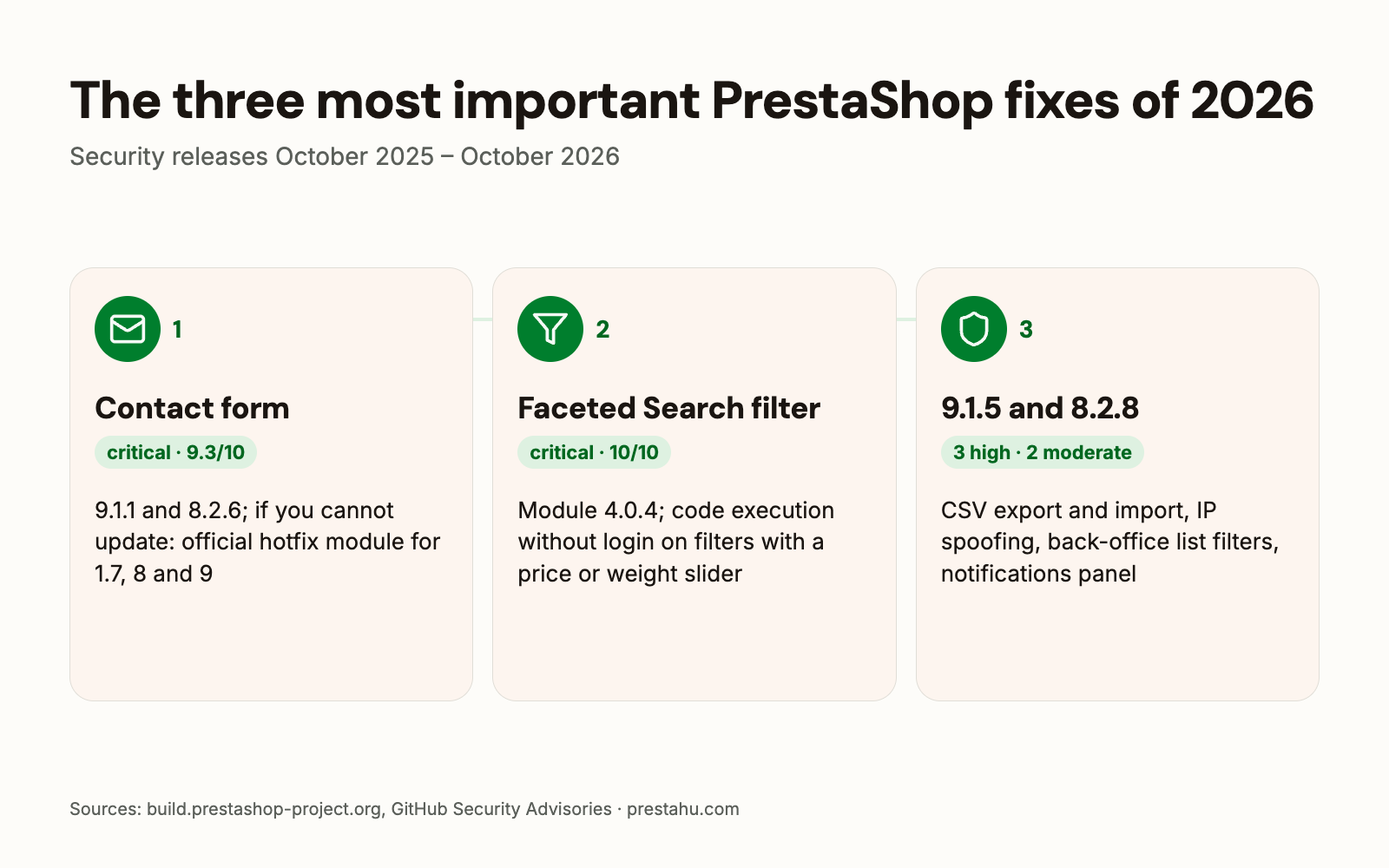
| 9.1.1, 8.2.6 late April 2026 | Contact form: a message opened in the back office could lead to a back-office takeover | critical |
| 9.1.3 21 May 2026 | Symfony and Twig fixes, no change to PrestaShop’s own code | – |
| Faceted Search 4.0.4 3 Jun 2026 | filter module: code execution on the server without login | critical |
| 9.1.5, 8.2.8 18 Aug 2026 | five flaws: CSV export and import, IP address spoofing, database reads via back-office list filters, notifications panel | 3 high, 2 moderate |
9.1.4 and 8.2.7 (4 June 2026) were released so that a fresh download already ships the fixed filter module; PrestaShop’s own code did not change, and 9.1.4 also brings Symfony and Twig updates. 9.0.1, 9.0.2 and 9.2.0 (30 September 2026) have no security advisory.
What were the two critical flaws?
Contact form (9.1.1 and 8.2.6, 9.3/10): without logging in, anyone could submit a malicious e-mail address through the public Contact form. When an employee opened the message in the back office, a script ran in their browser, which could lead to a full back-office takeover. For shops that cannot update right away, PrestaShop released an official hotfix module that works on PrestaShop 1.7, 8 and 9; it is installed under Modules > Module Manager with “Upload a module”.
Faceted Search filter module (4.0.4, 10/10): a single request without login could run code on the server, leading to full compromise of the shop and the server. Versions 3.0.0–4.0.3 of the module are affected on every shop running PrestaShop 1.7.1.0 or newer, if the filter has a price or weight slider. The fix is version 4.0.4 of the module, updated from the Modules menu; afterwards, check that the module version is 4.0.4 or later.
If an affected filter version ran on the shop, PrestaShop advises looking for signs of a break-in: unknown PHP files in the modules/ps_facetedsearch/ folder and unusual requests to that folder in the server logs. If there are such signs, updating the module is not enough: the shop has to be investigated and cleaned, then passwords changed.
What was in the five fixes of August 2026?
- CSV export: a malicious value could run as a formula for whoever opened the export in a spreadsheet: the merchant, an employee, an accountant, or a customer in their own GDPR export.
- CSV import: the server downloaded the image addresses given in the file without checking them. This needed a back-office account with import permission.
- IP address spoofing: behind a proxy, CDN or load balancer, any visitor could claim any IP address, which affects the maintenance-mode IP list and the logs. This also has to be set right in the hosting or proxy configuration, whether or not the shop is updated.
- Back-office list filters: any logged-in employee, even with the narrowest permissions, could read the whole database, including the customer and order tables. The same flawed code is present in PrestaShop 1.7, which no longer gets fixes.
- Notifications panel: showed recent customer and order data to any employee without a permission check. As it is personal data, there is a GDPR side to it too.
Which PrestaShop versions still get security fixes?
- 9.1.5 the last planned release of the 9.1 branch before 9.2
- 8.2.8 the latest release of the 8.2 branch
- 1.7.8.11 the last 1.7 release (2 Jan 2024)
8.2 is in extended support: it gets security and critical fixes only, until PrestaShop 10.0.0 is released. However, PrestaShop 8 is built on Symfony 4.4, which no longer receives Symfony security fixes, and PrestaShop does not backport them to the 8 branch; so PrestaShop recommends planning a move to version 9.
In February 2026 PrestaShop named two supported versions: 9.0 until the release of 9.1, and 8.2. 8.1 and older versions are not among them. Under PrestaShop’s security policy, fixes typically go to the latest release only; under the principle in the developer documentation, when a new minor version comes out, the previous minor version gets no more fixes.
How are the fixes installed?
- Update Assistant: PrestaShop’s official update module (formerly 1-Click Upgrade). It updates within the shop’s own branch, for example from 9.1.x to 9.1.5 or from 8.2.x to 8.2.8.
- Backup first: of the files and the database, your own as well as the Update Assistant’s.
- Filter module separately: the Faceted Search fix came separately from the PrestaShop update, as a module update in the Modules menu.
- Afterwards: re-enable the modules the update disabled, and go through the shop as a customer.
Within one major version (for example 9.0 → 9.1), PrestaShop says the theme and modules are expected to keep working, though in rare cases a security fix may need adjustments. Before a minor version change (for example 9.1 → 9.2), PrestaShop recommends a test copy.
How can you hear about fixes in time?
PrestaShop discloses fixes in the release posts on build.prestashop-project.org and in GitHub advisories, and fixes critical issues as soon as possible. After the Faceted Search flaw it advised merchants to follow the security advisories and community resources such as Friends of Presta.
PHP’s own flaws are a separate matter: the host fixes those. There is a separate post about it: Security flaw in PrestaShop shops: what to do
What should you do now?
- Check the versions: the PrestaShop version is under Advanced Parameters > Information, the Faceted Search version under Modules > Module Manager.
- If the filter module is older than 4.0.4: update it, and if the filter had a price or weight slider, have the shop checked for signs of a break-in.
- If the shop runs 9.1 or 8.2: update to 9.1.5 or 8.2.8, with a backup.
- If it runs 8.1, 8.0 or 1.7: install the official hotfix module for the Contact form flaw, and plan a move to a supported version.
- Behind a proxy or CDN: have the host check that the shop receives the real visitor IP address.
- Backups: regular, tested backups of the files and the database.
PrestaShop upgrade
The shop upgraded together with its theme, modules and data, prepared on a test copy.
Frequently asked questions
What is the latest PrestaShop security release?
9.1.5 and 8.2.8, on 18 August 2026. 9.2.0, released on 30 September 2026, has no security advisory.
Is updating the Faceted Search module enough?
For the filter module flaw, yes: according to PrestaShop, module version 4.0.4 is the complete fix. The other flaws were in PrestaShop’s own code, and need a PrestaShop update.
Does PrestaShop 1.7 still get fixes?
No. The code of the August 2026 list-filter flaw is also in 1.7, and according to PrestaShop it will not be patched. The hotfix module released for the Contact form flaw does work on 1.7.
How long does PrestaShop 8.2 get fixes?
Until PrestaShop 10.0.0 is released, security and critical fixes only. PrestaShop does not backport Symfony 4.4 fixes to the 8 branch.
What is the hotfix module?
PrestaShop’s official fix module for the critical Contact form flaw, for shops that cannot update right away. On install it backs up the affected template and applies the fix automatically.
Sources: PrestaShop 9.1.1 security release, Faceted Search security update, PrestaShop 9.1.5 security release, PrestaShop 8.2.8 security release, PrestaShop 9.1.3, Cleaning old branches, PrestaShop security advisories


Comments
No comments yet.