






Few shops run on their own. Invoicing software, a warehouse system, a price monitor or a marketplace connector all need a way in to the orders and the products. In PrestaShop that way in is the webservice, and it opens with a key.
The key works without a password: the key itself is the credential. Whoever holds it can do with the shop's data exactly as much as the key's permissions allow. That is why it pays to go through the list from time to time: how many keys are live, who holds each one, what it reaches, and whether anyone still uses it.
Not a technical readerThe short version: what a key review is about
Outside programs connect to the shop: invoicing, accounting software, the warehouse, sometimes a tool an earlier developer built. Each of them gets a key that lets it reach the data.
These keys do not expire on their own. After a contract ends, a project closes or a piece of software is replaced, the key usually stays behind and works exactly as it did on day one.
What to do: ask for the list of keys and go through what each one is for. Anything that cannot be identified, or that nobody uses, can be switched off. The text below can be forwarded to whoever maintains the shop.
Questions for whoever maintains the shop
How many webservice keys are live on the shop, and which program does each one belong to? What can each key reach: orders, customers, products, read only or write as well? With several shops, which shops is each key valid on? Is any of them unused and safe to switch off? On the 9 branch, does the shop use Admin API clients, and if so, who were they issued to?
What is a webservice key, and what does it open?
PrestaShop offers outside programs an interface of its own, served under the shop's address at the /api/ path. Through it orders, customers, products, stock and a good number of other records can be read and changed.
The interface is off by default and is switched on in the back office under Advanced Parameters > Webservice. Every connecting program gets its own key, a 32-character string. The documentation is explicit on one point here: there is no password, the key alone is the credential. For that reason PrestaShop's own guide stresses that the rights given to a key, and who it is disclosed to, deserve particular care.
Permissions are not granted in one block: they are set per resource and per operation. A key can read products and also write orders, while having no access at all to customer records. The documentation's advice is unambiguous: do not give every right on every resource to any key.
The rights of an existing key can be checked at any time: calling the shop's /api/ address with that key returns a summary of the resources it reaches and the operations it is allowed.
Why review the keys now?
In the PrestaShop security release of 9 November 2026 two of the fixes concern the webservice, and both are about installations serving several shops. One of them (CVE-2026-71519) stops a key from reaching a customer record outside its own shop, because the shop check was missing at record level. The other (CVE-2026-71531) stops a request carrying id_shop=all from stepping outside the set of shops the key was granted.
Those fixes arrive with the upgrade. Tidying up the keys is separate work: an upgrade does not switch off a key nobody has used for a year, and it does not narrow the rights of an old integration.
What changes with the Admin API on the 9 branch?
On the 9 branch, alongside the classic webservice, there is now the Admin API, enabled by default. Here a single key is no longer the credential: the connecting program requests a token over OAuth2, and the rights are described by scopes. In production mode this works over HTTPS only.
In practice that adds two questions to the list. First, how many API clients exist and who each one is for; the shop answers that at the /admin-api/api-client/infos endpoint, with the client's name and whether it is enabled. Second, how narrow the scopes granted to a client are.
The same November release fixes two Admin API flaws: a disabled client's access did not stop taking effect, and a client holding write permission could grant itself further scopes. Anyone using an API client on the 9 branch should go through the client list after upgrading.
What does a sound key register look like?
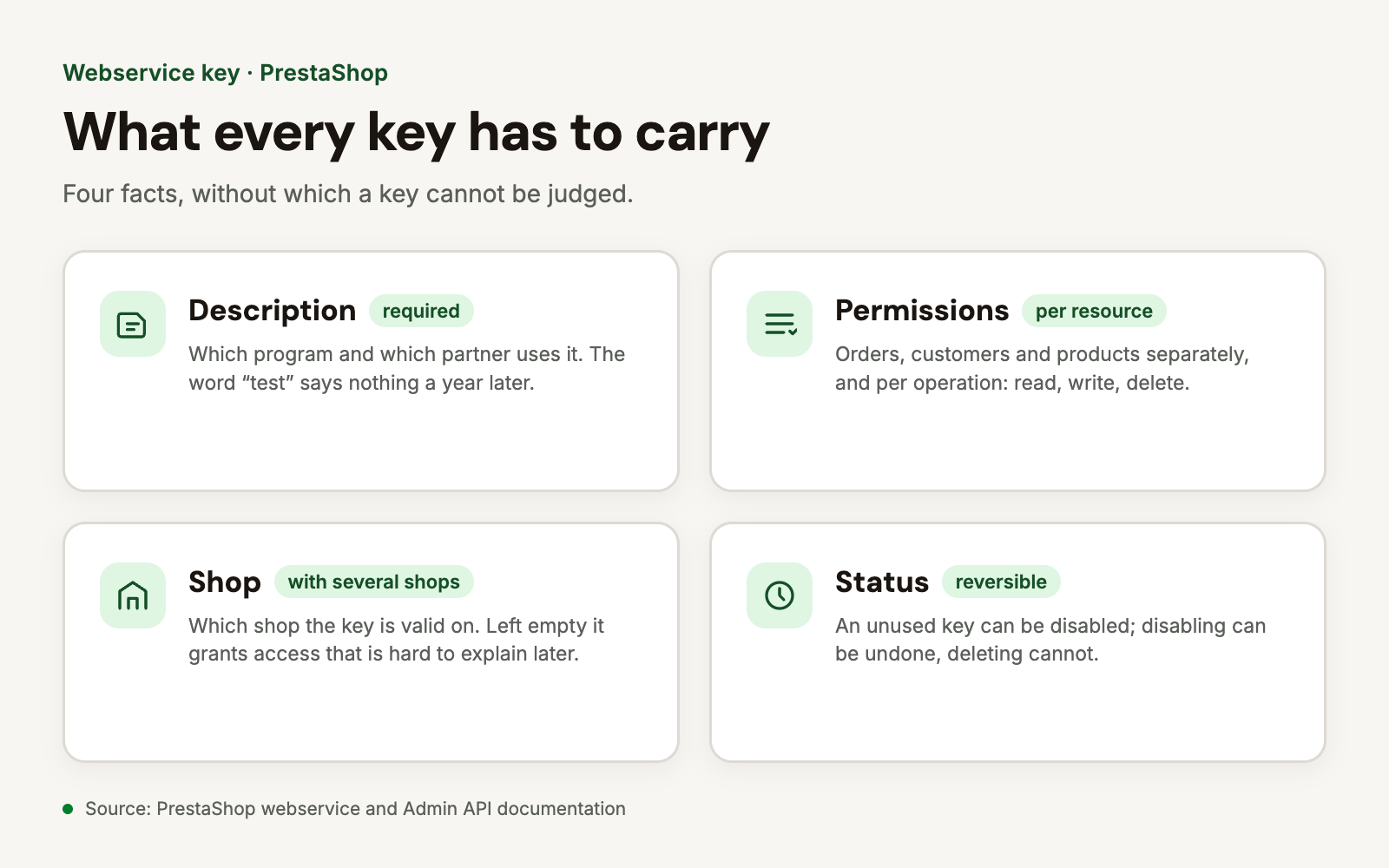
No separate system is needed, a spreadsheet will do. Every live key should carry four facts:
- Who it is for. That is what the description field is for; the name of the program and the partner belongs there, not the word "test".
- What it reaches. Per resource, and per operation: read, write, delete.
- On which shop. With several shops a key carries a shop association; the field appears only in multistore mode, and left empty it grants access that is hard to explain later.
- Whether anyone still uses it. If the program behind the key is gone, the key's status can be set to disabled. Disabling is reversible, deleting is not.
The natural moments for a review are the end of a contract with a developer or an agency, a software change, and a security release like this one.
What to do besides upgrading
If the shop is not yet running the release of 9 November 2026, that is the first step. If the upgrade cannot be done now, the fixes can be carried into the running version: the affected files are changed to match the fixed ones and the rest of the shop stays as it is. This is what the PrestaShop security fixes module does, taking a backup first so every fix can be rolled back. Which flaws apply to a given shop is what the PrestaShop security scan module reports.
What to do now
- Ask for the list of keys from whoever maintains the shop, description field included.
- Name every one of them. A key with no program or partner behind it is suspect.
- Narrow the rights down to what the program actually uses. Write and delete are needed less often than they are ticked.
- With several shops, go through the shop association key by key.
- Disable unused keys rather than deleting them straight away, and watch whether a partner reports anything.
- Upgrade to 9.2.1 or 8.2.9 so the two webservice fixes are in place as well.
Frequently asked questions
[faq]
Q: Where do I see how many keys are live?
A: In the back office, under Advanced Parameters > Webservice. Each row is a key, with its status and description.
Q: Do keys expire by themselves?
A: No. A classic webservice key lives until it is disabled or deleted. On the 9 branch the Admin API's access token has a lifetime, but the client itself also stays until it is disabled.
Q: Is disabling enough, or should a key be deleted?
A: Disabling removes access immediately and can be undone, so it is the first step in a review. Deleting makes sense once it is certain the key is no longer needed.
Q: How do I tell whether a key is still in use?
A: The web server log shows the requests starting with /api/. If there have been none behind a key for months, disabling it carries little risk.
Q: Should the webservice be switched off if we don't use it?
A: If no program connects, the switch can be turned off and the /api/ path stops answering. It can be turned back on in the same place later.
Sources: PrestaShop webservice documentation, Admin API documentation, PrestaShop security advisories