



A shop catalogue never stands still: a product sells out for good, two categories are merged, last summer's campaign page is taken down. The address those pages lived on does not disappear with them. It stays in Google's index, in an old newsletter, under a social post and in every link other sites have built to it. When somebody follows one of those links, the shop either shows an error page or takes them to a page that is still alive.
This article goes through what a 404 and a 410 response actually say, why a soft 404 is worse than either of them, when a redirect belongs there instead, what PrestaShop does on its own with the address of a disabled and of a deleted product, and how to find out which addresses are failing right now.
Not a technical readerThe short version: what happens when an old address goes away?
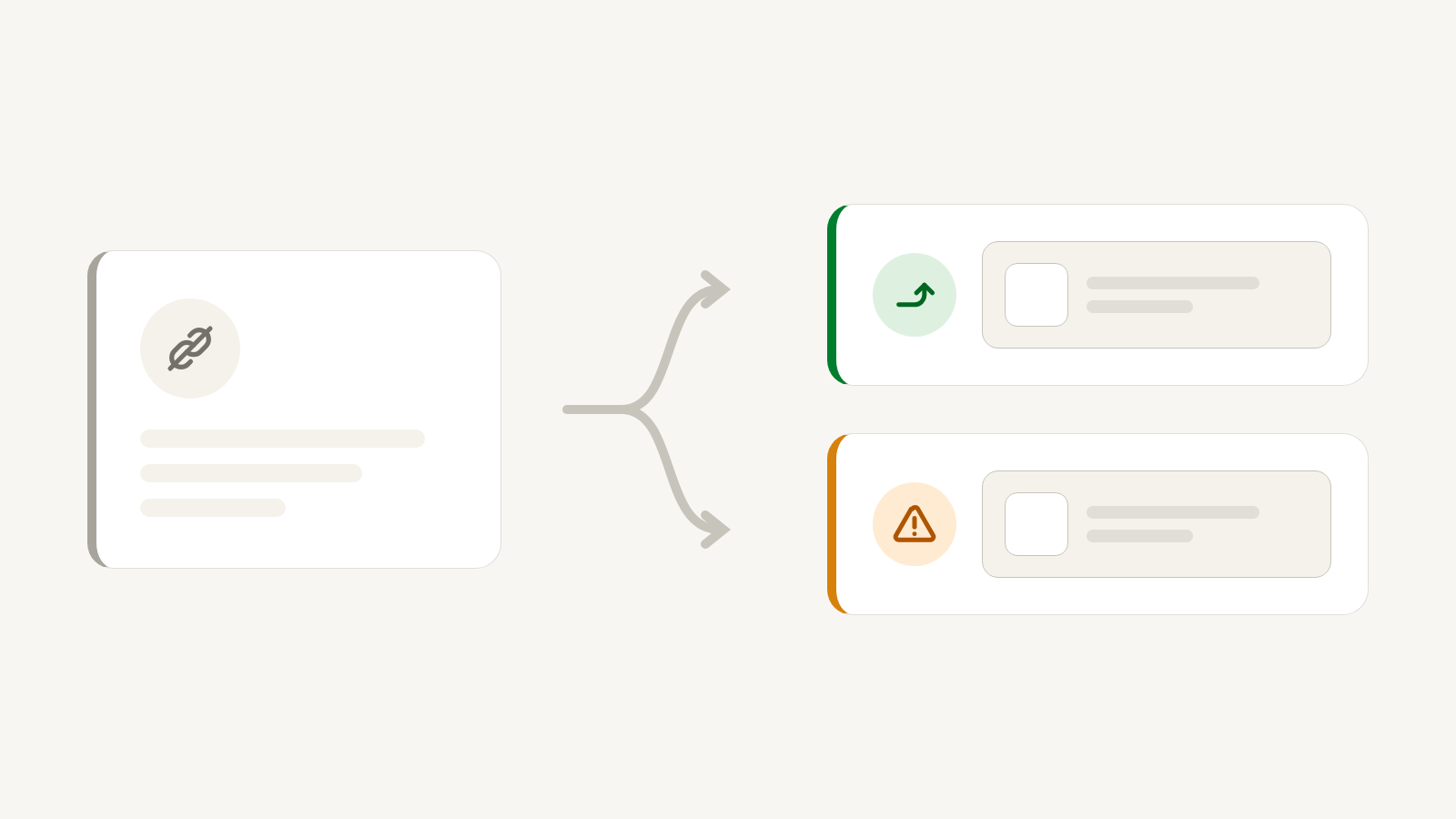
Every product and every category has an address of its own on the web. When the content goes, the address stays behind: search results, newsletters and links on other sites keep sending visitors to it.
There are two good answers. If a sensible page exists instead, the shop sends the visitor there and tells search engines the content has moved. If nothing exists instead, the shop states that this address is no longer live, and the error page offers a way on: search, the main categories, a few popular products.
The bad answer is the page that says the content is gone while quietly reporting success to search engines. Search engines then keep walking back to addresses that no longer exist, spending on them the time that the real product pages need.
Where do failing addresses in a shop come from?
Most failing addresses are not typos, they come out of everyday work: a product deleted from the catalogue, two categories merged, a seasonal landing page removed, a product renamed (which changes the readable part of its address too) and, the largest batch of all, a platform migration, where the whole address structure changes at once.
The address keeps its value through all of this. It brings visitors as long as search engines list it, as long as people click the old newsletter or post, and as long as other sites link to it. Those visitors are not looking for a home page: they are after the exact content that used to be there.
What do 404, 410 and soft 404 mean?
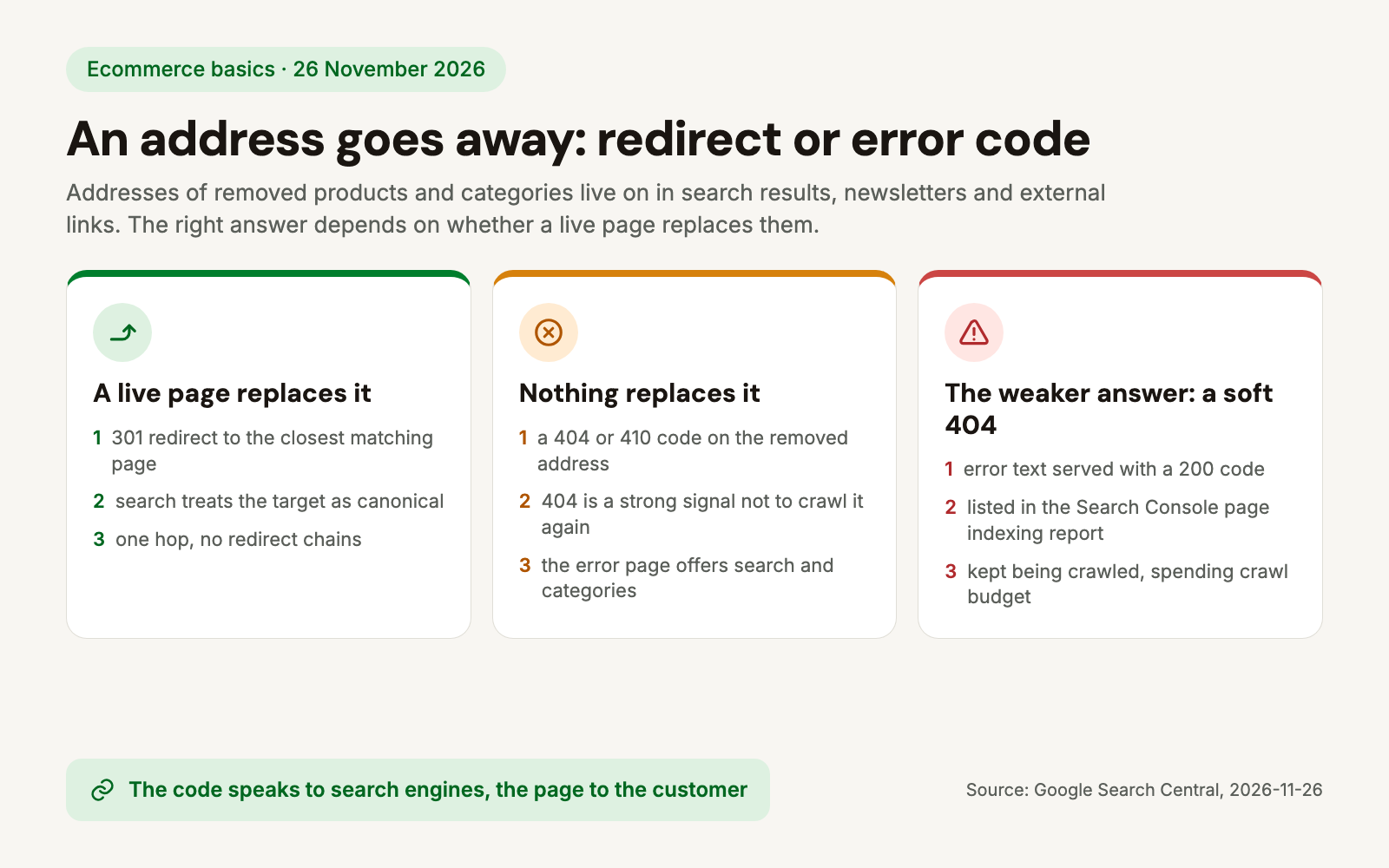
The response code is what tells a search engine and a browser what happened to the address. Google's documentation is explicit: when the page and its content are no longer available, the correct answer is a 404 (not found) or a 410 (gone) code, because these codes indicate to search engines that the page doesn't exist and that you don't want it indexed.
The third case is the awkward one. In Google's own words, a soft 404 error is when a URL returns a page telling the user that the page does not exist and also a 200 (success) status code; a page with no main content, or an empty page, counts as well. Search Console reports it in the Page indexing report.
- 301 or 308 (permanent redirect) — a suitable page exists instead. Google states that the indexing pipeline uses a permanent redirect as a signal that the redirect target should be canonical.
- 404 or 410 — nothing exists instead. Google asks for one of these two codes for permanently removed pages, and calls a 404 a strong signal not to crawl that URL again.
- Soft 404 (a 200 code with error text) — the crawler keeps coming back. Google lists Eliminate soft 404 errors among the things that waste crawl budget, because soft 404 pages will continue to be crawled.
When is a redirect the answer, and when is an error code?
The state of the content decides. Google separates three cases on the same page: the content is no longer available, the content is now somewhere else, or the content still exists and the crawler simply did not see it. A redirect has no business in the first case.
When the content has moved, Google recommends a 301 (permanent redirect) to send the user on, and calls it a great way to tell search engines about the new location of the page. For an address that changes, the advice points at a server-side permanent redirect: Google lists the redirect types in order of how likely it is able to interpret them correctly, and server-side redirects come first.
Temporary codes (302, 303, 307) say something else. Googlebot follows them, but the indexing pipeline does not take them as a signal that the target should be canonical. So a temporary code suits what is genuinely temporary: a service that is unavailable for a few days, a seasonal landing page. It does not suit a product that is gone for good.
Redirect chains are worth avoiding: Google's crawl budget guide lists long redirect chains among the things that have a negative effect on crawling. A chain builds up when A was pointed at B, B was later pointed at C, and the rule for A was never revisited.
What does PrestaShop do on its own with a disabled and a deleted product?
These two cases are worth keeping apart, because PrestaShop behaves very differently in them.
For a disabled product the answer is a setting. The product's SEO tab offers the behaviour for when the product is disabled, and the same options appear in the code: a 404 or 410 code, a 301 or 302 redirect to the product's category, a 301 or 302 redirect to another product, or displaying the page with a 200, 404 or 410 code. Where a product has no setting of its own, the default in the catalogue settings decides. One trap is visible in the code as well: if a product is set to redirect to itself, PrestaShop switches to a 404 instead of starting a loop.
For a deleted product there is nothing left to set. The record is gone, and PrestaShop answers a product it cannot load with a 404 code and the error page. Deleting therefore throws away every one of those options, which is why the redirect has to exist before the deletion. That is exactly what our Redirect Manager automates: it records the rule at the moment of deletion, before the record disappears, sends a deleted product to its selected category and a deleted category to the nearest parent category that survives, writes a separate rule for the address of every active language, and rewrites the target of earlier rules so that no chain builds up.
What kind of 404 page helps the customer?
The code is for search engines, the page is for the visitor. Google's documentation covers this too: error pages can be made useful to users by customising them, and a good custom 404 page helps people find what they were looking for.
What it comes down to: the error page should carry search, a route into the main categories and a few suggested products; the text should state plainly that the content is no longer live; and the shop's header, footer and cart should stay available. What does not help: a bare page with nothing but an error code, and sending every failing address to the home page, because the visitor will not find there what they came for, and Google may read a page with no main content as a soft 404 as well.
PrestaShop's stock error page comes from the theme templates. To replace it with a page that is edited in the interface and carries your own content, there is our 2in1: custom 404 and maintenance page module: both the 404 page and the maintenance page are edited from the Back Office, with ready-made and animated templates, your own HTML, and a countdown and a newsletter block on the maintenance page.
How do you find out which addresses are failing?
Three measurements are enough, and all three are free.
| Where | What it shows |
|---|---|
| Search Console Page indexing report | the Not found (404) and Soft 404 rows list the failing addresses search engines know about, with dates. It also shows which of them still receive links. |
| URL Inspection tool | for a single address it shows the actual response code and the rendered content. Google recommends it for checking whether a URL really returns the correct code. |
| The shop's own logs and statistics | failing internal links show up here: these are not a search engine's business but our own outdated menu, banner or newsletter links. |
For a larger batch, after a migration for example, addresses are not worth entering one by one: our Redirect Manager takes the whole list of old addresses in one step from a CSV import, with a 301, 302, 303, 307 or 308 code per rule, and gives click statistics per rule with bots filtered out, so you can see afterwards which old address still brings traffic.
What is worth doing now?
- Go through the Page indexing report in Search Console: how many 404 and how many soft 404 addresses there are, and whether any of them still receive links.
- Clear the soft 404s: where the shop shows error text with a 200 code, set the answer to 404 or 410, because otherwise those addresses eat into the crawl budget.
- Set the behaviour of disabled products in the catalogue settings, and give products that are being phased out a permanent redirect to their category.
- Create the redirect before the deletion: deleting takes the product's data and every setting with it, so the rule has to be in place first.
- Build an error page with search and categories, because the code speaks to search engines while the way on is for the customer.
Redirecting addresses that go away, without manual work
Our Redirect Manager module creates the 301 rule at the moment of deletion, before the record disappears, per language and per shop, with no chains; manual rules can be imported from CSV and come with click statistics.
Frequently asked questions
Do 404 addresses in a shop hurt rankings?
Google asks for exactly a 404 or a 410 code for permanently removed pages, so the error code is the correct answer in itself. The real question is whether a failing address still has search results or external links pointing at it: that is where a redirect keeps both the visitor and the position earned.
Should a removed product's address return 404 or 410?
Google's documentation gives the two codes in the same sentence for the same case, and says both indicate to search engines that the page doesn't exist. PrestaShop supports both, and either can be set on a product.
Is sending every removed address to the home page a good solution?
No, because the visitor will not find there what they came for. After a migration it makes sense temporarily, with an end date; permanently, similar content is the right target, and where there is none, a 404 or 410 answer with the error page.
What happens to the old address after a product is renamed?
The friendly address contains a part built from the product name, so renaming gives the product a new address. PrestaShop sends the old address to the canonical one; for external links and search engines it is still worth checking that the answer really is a permanent redirect.
Where is the handling of disabled products set?
On the product's SEO tab per product, and in the catalogue settings for every product that has no setting of its own. The available answers are a 404 or 410 code, a 301 or 302 redirect to the category or to another product, and displaying the page with a 200, 404 or 410 code.
Sources: Google Search Central: Troubleshoot crawling errors (soft 404), Google Search Central: Redirects and Google Search, Google: Crawl budget management, PrestaShop: RedirectType